WEEK OF 2026/08/03 - Introducing: The Mod Menu
10 minute read - Published on: 2026/08/03
Table of Contents
Hello funkBlog people,
It's a new face making a blog today: Kade - ubiquitous modder extraordinaire. I've been working on the game for a little over a year now (yippee), and it's great to finally make a blog post!
Lately I've been in charge of something new, and shiny. Something that needed to be standardized a long time ago. We've had a lot of community-made solutions, and with my origins in modding: I know a thing or two about how awful it is right now to have more than one mod at a time. Before, we would make simple "exe" mods (not the Sonic ones), where it would just be the whole game packaged with some different stuff!
But now, using what the kids are calling "V-Slice" (the base game), we have some cool new modding tools that let you have more than one mod at a time. How neat! The problem is: managing them kind of fucking sucks!
So we put our small brains together, merged them into one big mega brain, and used that think tank to come up with...
An official in-game Mod Menu!
At a glance
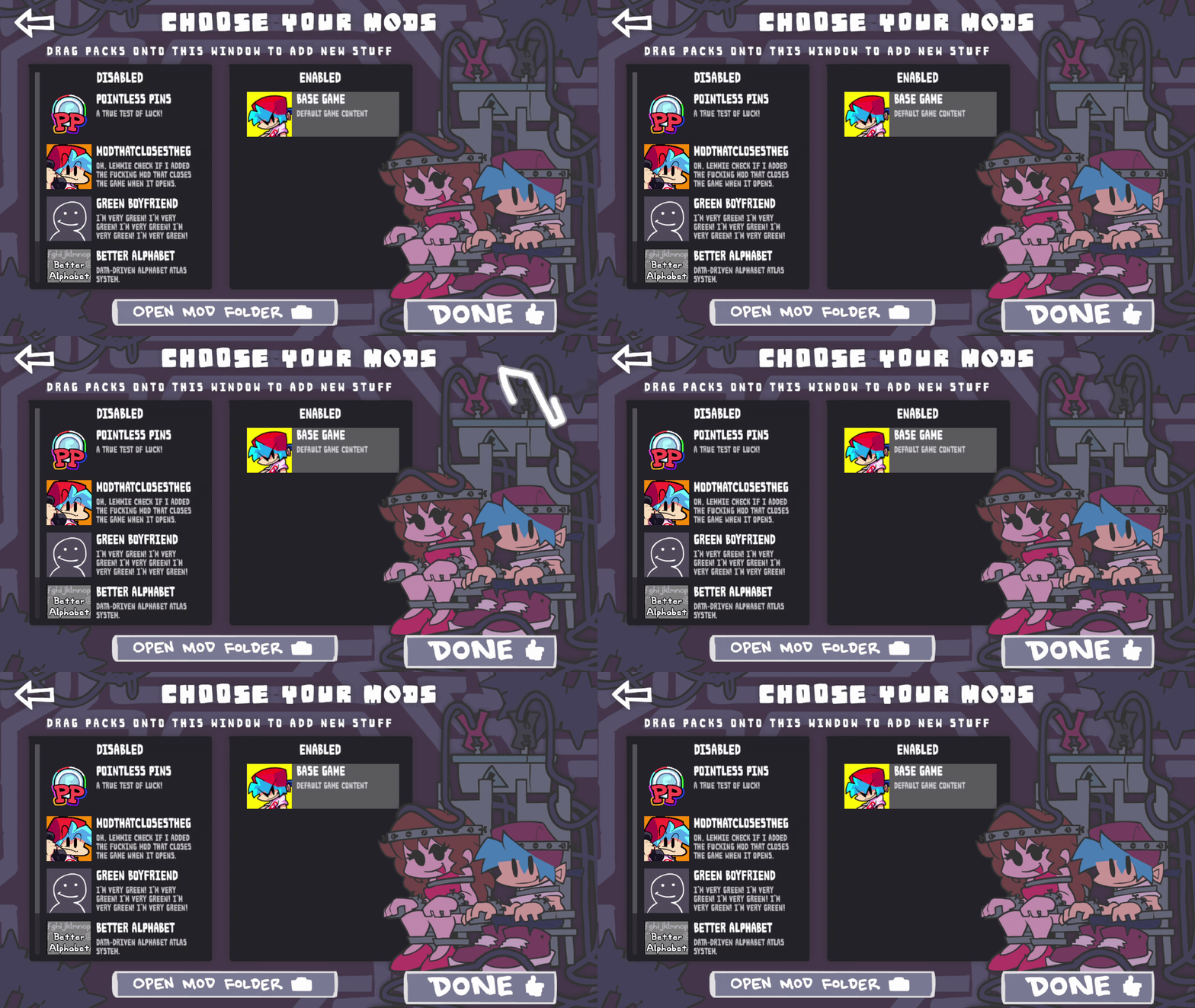
Managing dependencies, ordering mods, and a whole lot more. We have a brand new Funkin' Mod Menu ready for you to get your testy testing hands on!
With the advent of cool and shiny mods, and eventually something more... ooooh. We really want to make our modding system as robust as possible on every platform. This includes you Mobile!
To achieve this, we spent some time designing and building new systems that enable intuitive mod management within the game, connecting us with the rich modding scene our game is known for.
Installing mods
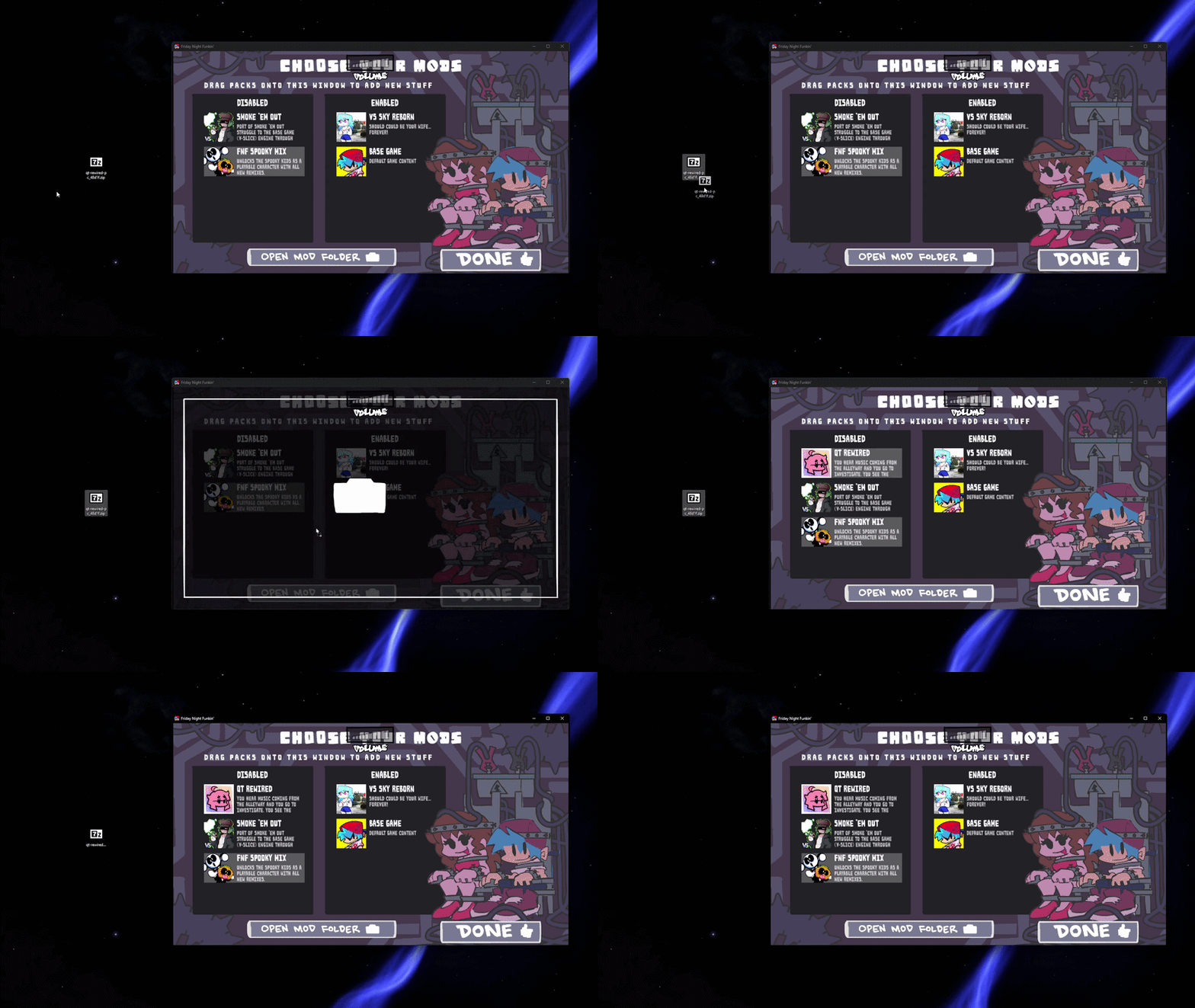
To start, you can easily find your mods folder by pressing the "Open Mods Folder" button. Now you can easily install mods by dragging and dropping a mod folder or zip file over the game itself. It even accepts zip files with the new .fnfmod extension! The game will automatically populate your mods list in the Disabled section, which you can scroll through to view all of the cool mods you've got in your rotation.
Later on we hope to have a "Click to Install" button on external websites like GameBanana for your convenience (especially for Mobile), but that will come eventually when we've built up that tech.
Managing your mods
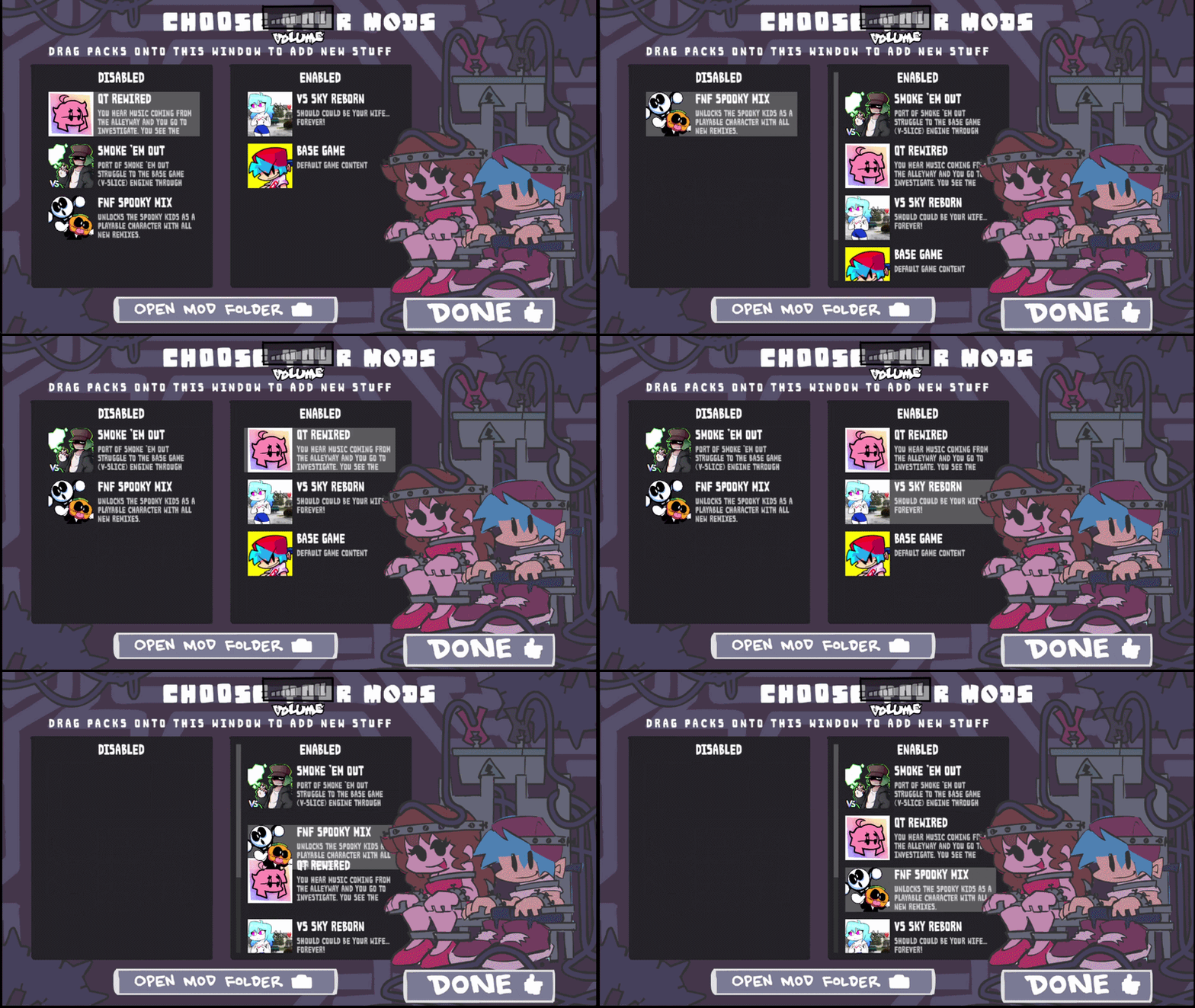
Managing mods doesn't get much simpler than this! You can move a mod to the Enabled section by pressing Enter on that item. Press again to move it back to the Disabled section.
The mod list order is top down, meaning mods that depend on content go above the mod that has that content.
Quick tip: Press Ctrl + Up/Down arrow to reorder the mods in the Enabled list!
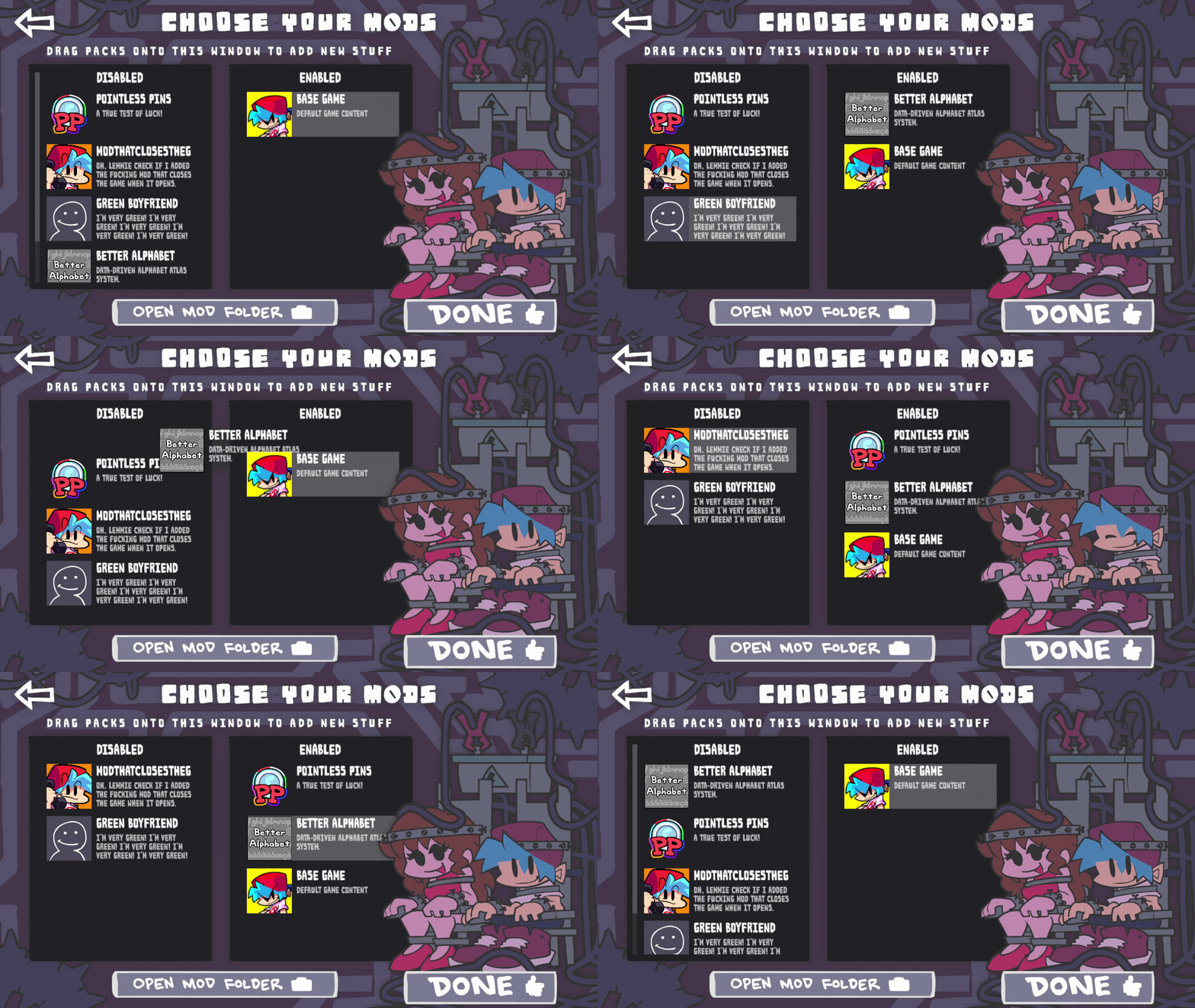
If a mod has any dependencies, those will go under the enabled mod that depends on them. If you try to move mods below their dependencies, it won't let you! That'd break the mod order.
Mods can also have optional dependencies that aren't required to be installed, but will order like any other dependency if installed. An example would be adding a custom song when another mod has defined the characters/stage already.
Boyfriend, Girlfriend, and... Pinhead?
Ever wanted to violently shock the ever living shit out of Boyfriend and Girlfriend? Well now you can! Pressing the DONE button to apply your Enabled mods will now shock and turn your lovable BF and GF into whatever modded characters are specified (higher mods taking priority).
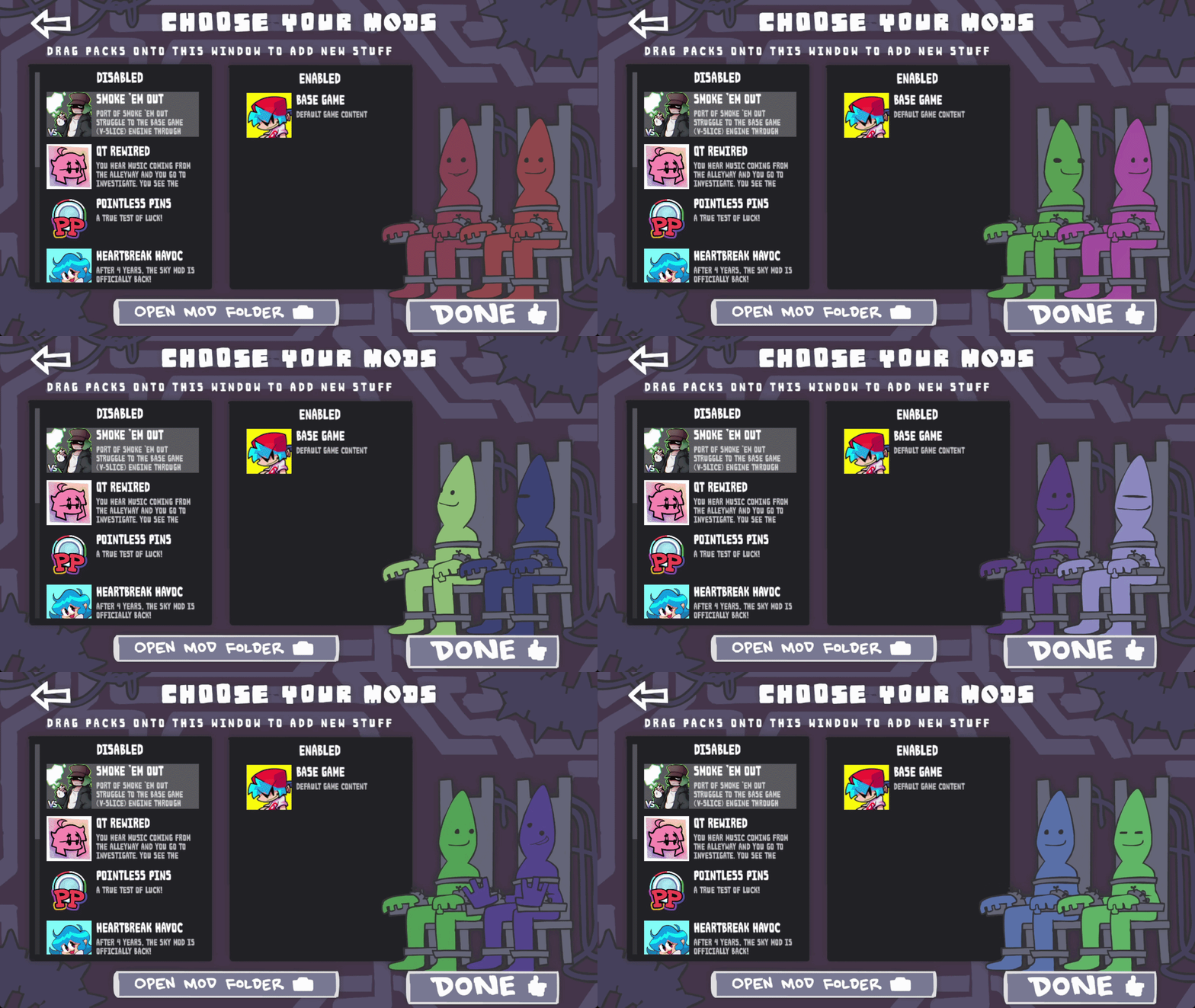
If there are no characters, you'll be greeted by... Pinhead shudders
He'll be a different color every time you load the menu or shock the characters, so there will always be a new face to greet you.
Custom characters
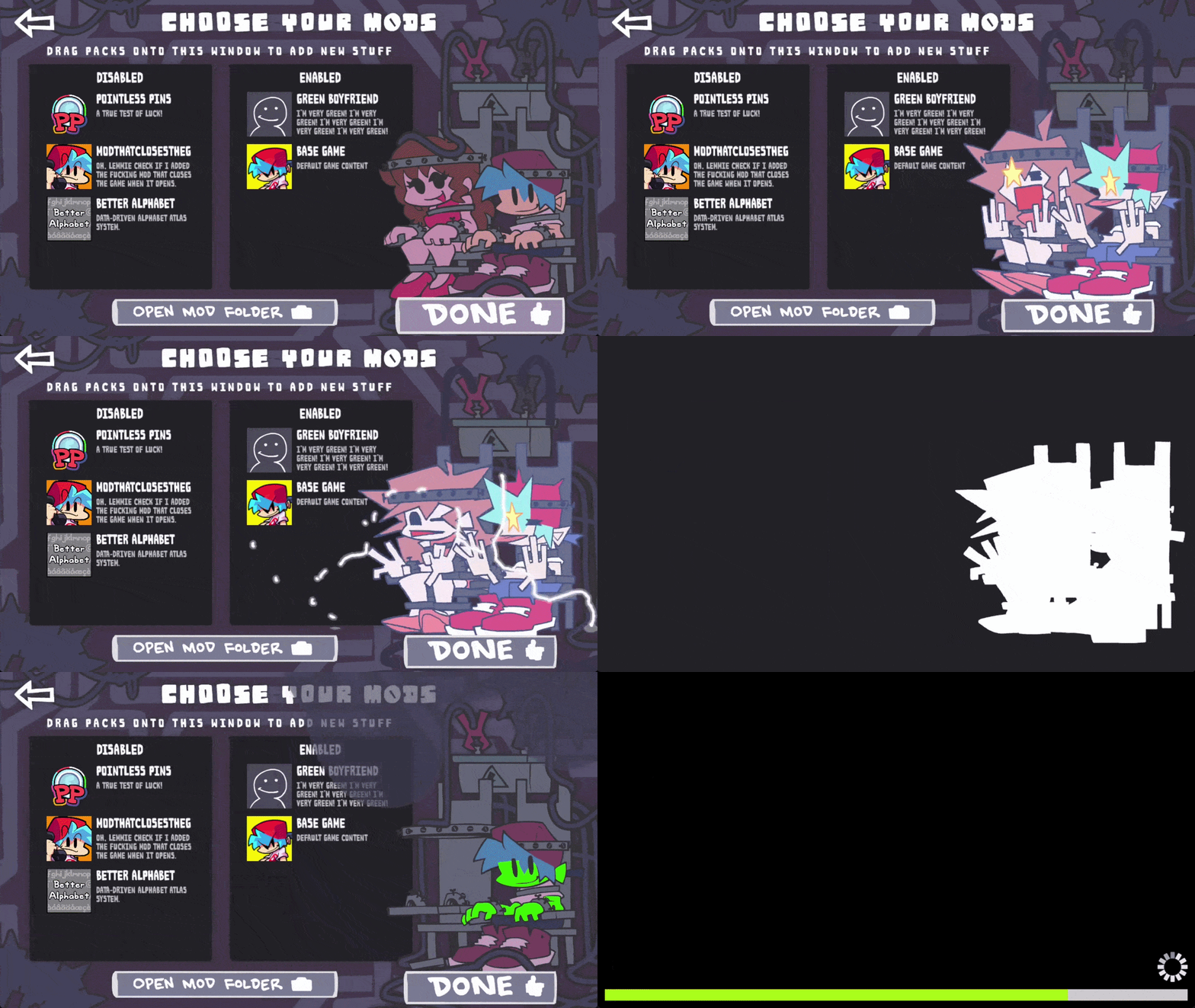
To put custom characters in the chair, it's pretty simple. We have an example called green boyfriend which.... makes him green... (don't ask okay) Simply add character assets (atlas or sparrow) to one or both of the paths ui/mods/characters/mod-bf and ui/mods/characters/mod-gf in your mod folder. After doing so, enabling your mod at the top of the list will reveal your own shiny little guys!
The electrocution FLA can be found here, including frame labels and our characters for you to follow as an example.
Custom menus and content
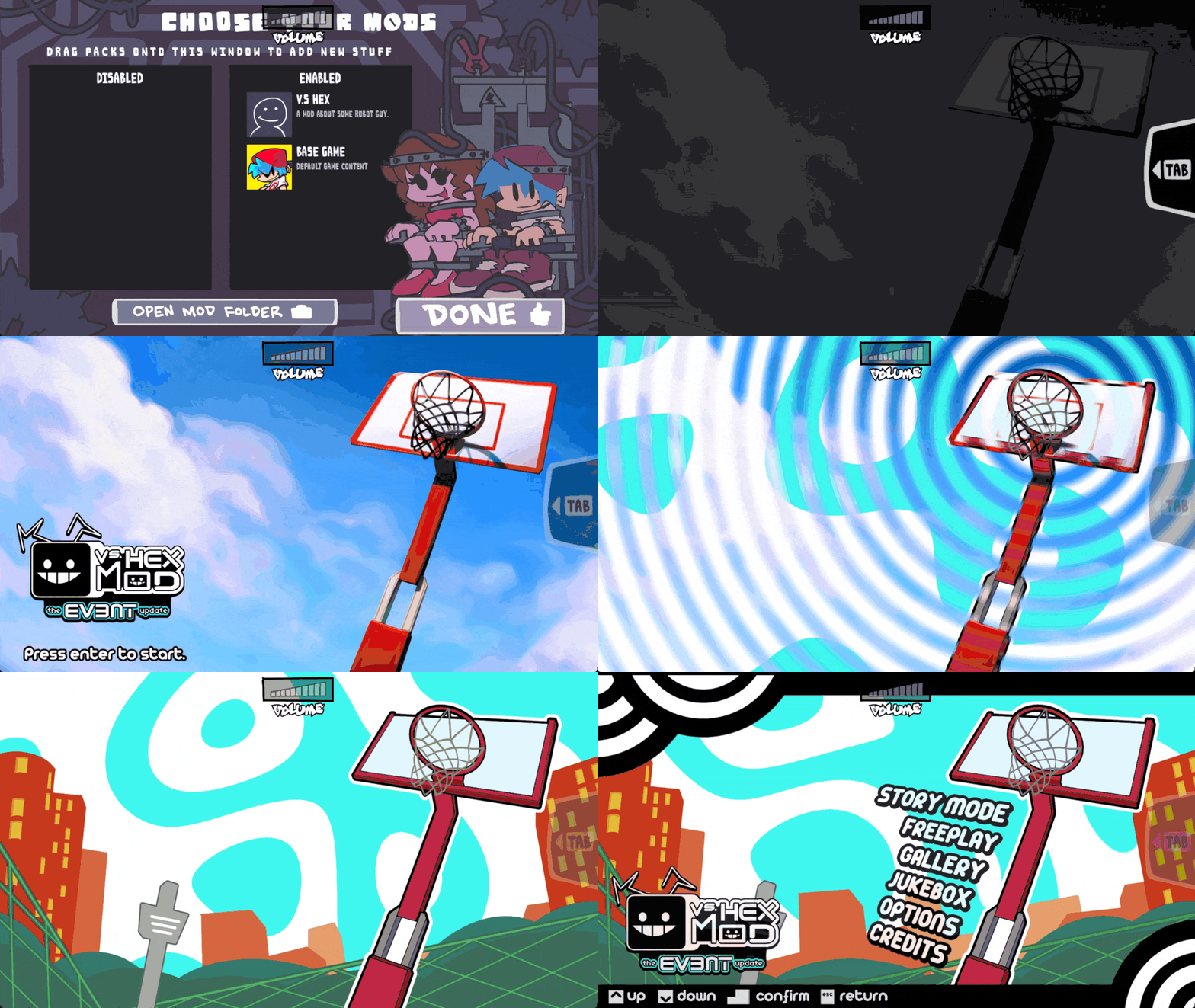
Getting a little bit more technical here, we wanted to also add support for better custom menus that old classic mods used to have all the time!
The Quick Menu
Imagine yourself inside of the craziest mod ever, but you realize you have the 25% greener mod on and everything is lowkey green. Well now you're able to back out and disable the god-forbidden green mod.
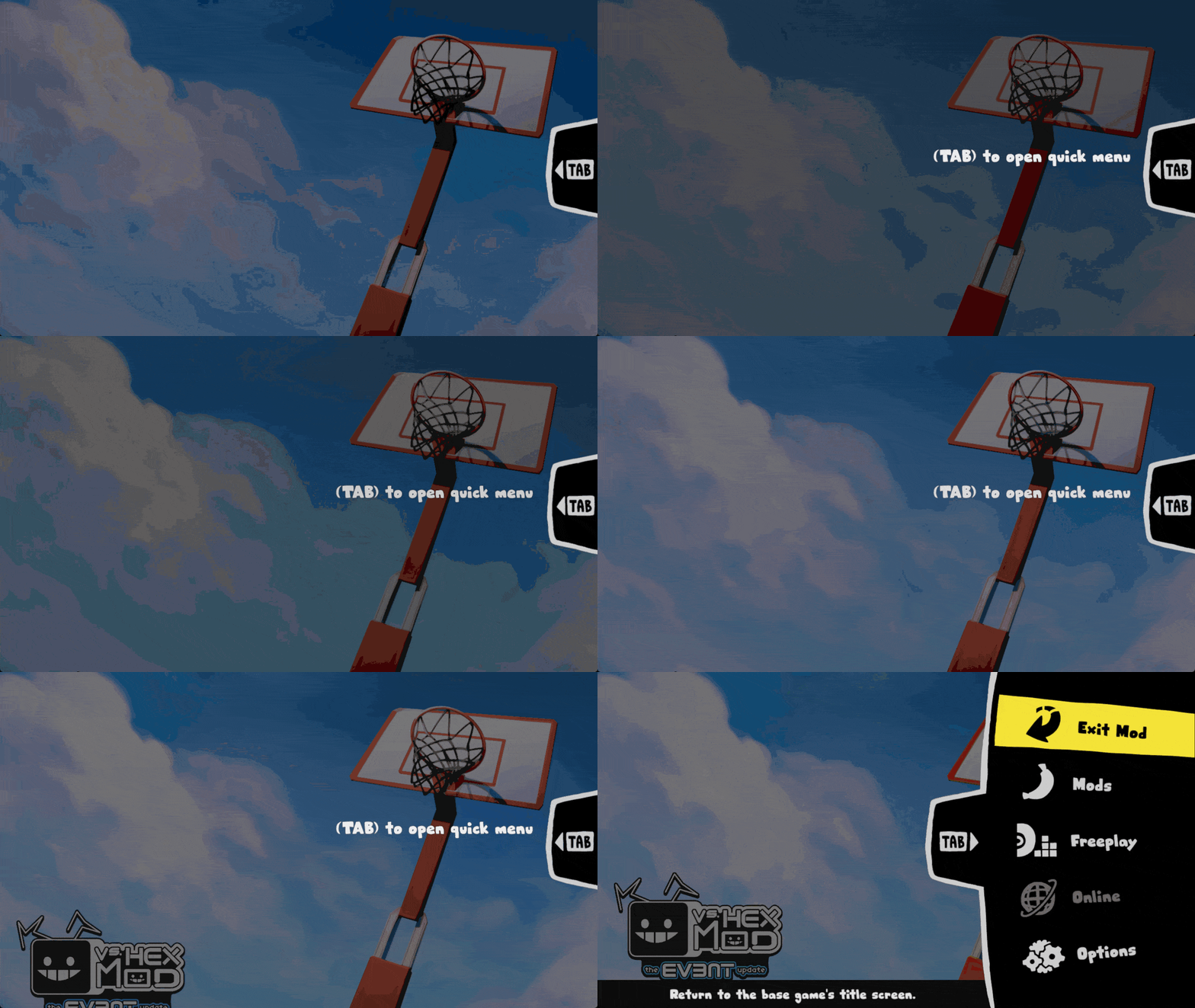
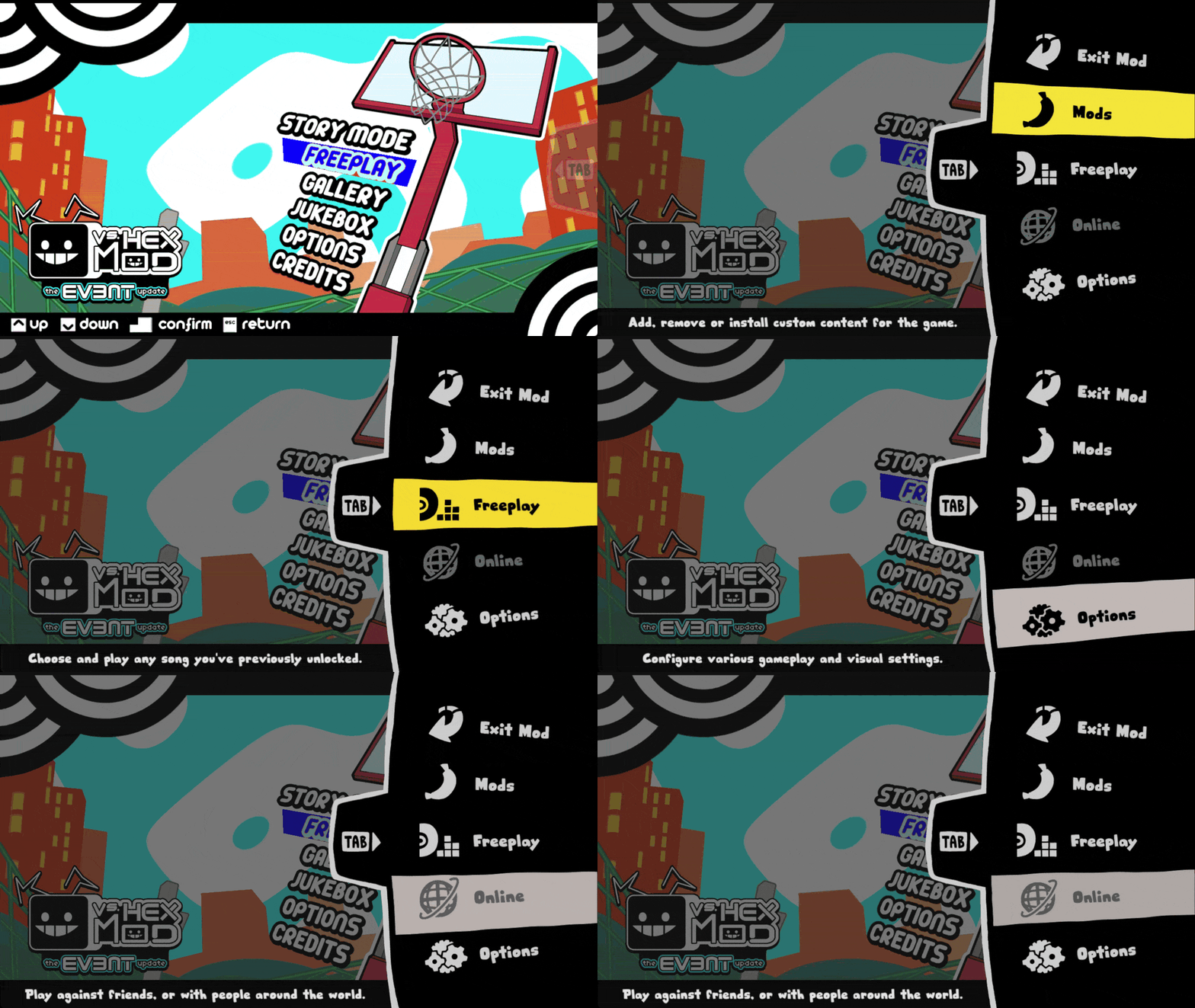
The quick menu is your one stop shop for menu hopping, allowing you to instantly escape to several different menus! You can go to the base game's Main Menu, the Mod Menu, Freeplay, and the Options Menu!
Quick tip: Going to the Options Menu will allow you to return to the modded screen you were in before! This lets you quickly change options if the mod doesn't provide the ability to.
Performance and RAM usage... oh the memory...
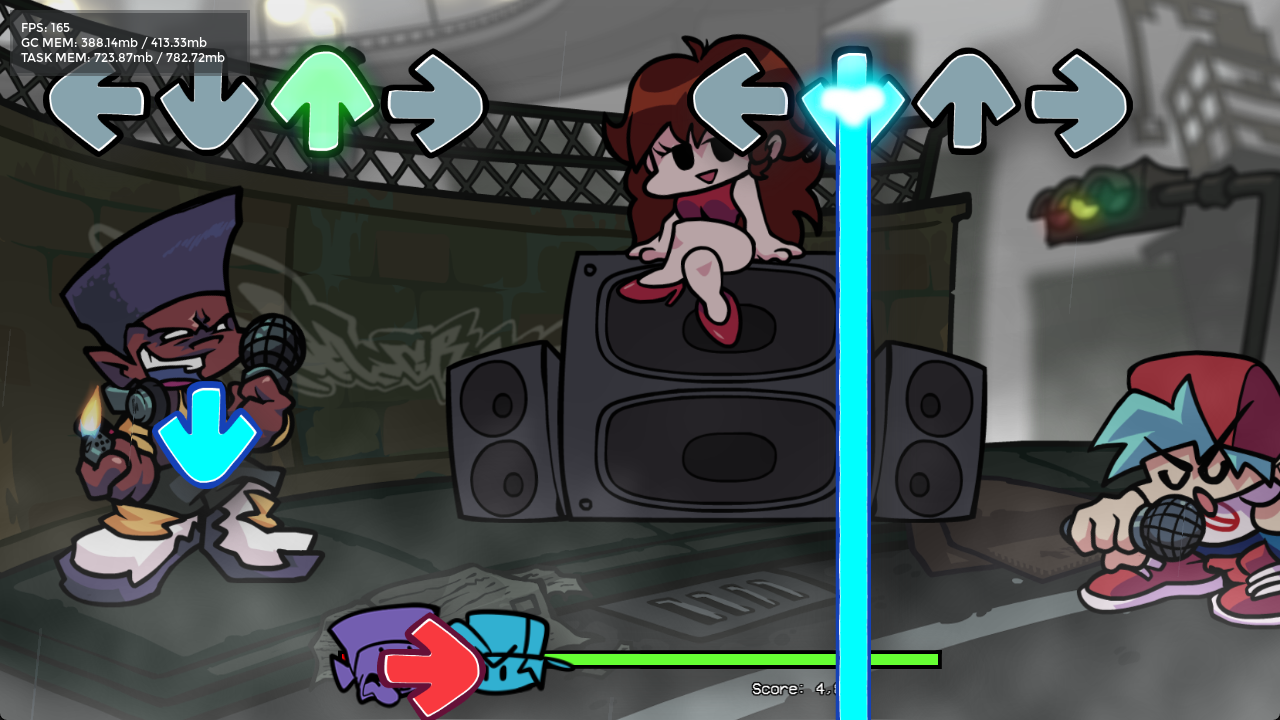
With this new test release, we'd also like to share with you our new and improved memory system! Developed by our ever so lovely Mobile Team led by MoonDroid, this build includes the fruits of their labor. Super low RAM usage, and faster loading times!
Memory usage is now consistently lower, we've even seen it get as low as 200mb of RAM in the Main Menu. It used to be 900mb! This new system properly deallocates resources so memory shouldn't constantly climb higher and cause memory leaks! We had to wrangle control from our game engine, HaxeFlixel - but once we reigned in the ropes, we were able to replace its caching system with our own cool ass Funkin' one!
A great package: faster loading AND faster mod management - a two for one combo meal!
But wait - there's more!
With this build, we are also releasing our brand new spanking asset organization structure (how the files and folders look and are accessed). The main goal of this reorganization is to group together files in a meaningful and futureproof way, because right now they're kind of all over the place (and insanely difficult to work with in the code).
For modders, migrating to the new assets system might require some work, but we bundled in some systems to allow for a smoother moving experience.
Modders beware!
Here's some useful information from EliteMasterEric to help you migrate your mods:
To accommodate for significant refactors to the game's file structure, we have included many internal features to provide backwards compatibility, and have rigorously tested many popular mods with the new system. For example, chart data and music have moved, but the game checks the old locations as well, meaning songs still load properly.
However, a few changes still break the functionality of some mods:
Any mods that directly replace existing assets won't work until they're moved. For example, placing an asset shared/images/gfDanceTitle.png in your mod folder will be ignored, you'll have to move it to ui/title/gf-dance-title.png.
Any mods that change the behavior of base game scripts, either by directly replacing them, or merging code into scripts using Polymod's mixin feature, won't work until they're moved. (Note merging into JSON data DOES specifically work, so custom remixes of existing songs do show up).
Most of this is now documented inside the Code Cookbook, which hosts a ton of new tutorials for you to follow on this Preview build!
Scripting and upgrades
Another thing to note about Funkin's mod system; Polymod has been getting a lot of updates and refinements, to make scripting more powerful, more performant, and make it easier to diagnose abnormal behavior. Many things that used to silently fail and break stuff later (like creating new variables and functions with the same name as ones you've already defined, or editing a variable that's not supposed to be changed) now complain loudly with an error popup. Sometimes this means the mod is broken, but sometimes it can be safely ignored.
The best thing to do for these cases is to figure out the problems where they exist in your mod and fix them there; Polymod's error popups should give you the information to do that.
If you experience any other issues with running your mods on the preview branch, feel free to report them to us, and we can either fix things on our end, or provide advice on how to fix your mods.
All that is super cool, so let's answer the million dollar question:
How can I try this for myself?
Hey, Hundrec here to drop the test builds!
The Mod Menu and new memory system will only be officially released with the next major update, but you can try them right now in a series of test builds we will be releasing.
But before you download a build, you've gotta know how to get to the Mod Menu! Just open the game to the Main Menu, then press the tilde (~) button on your keyboard. You should then see a list of editors and menus:
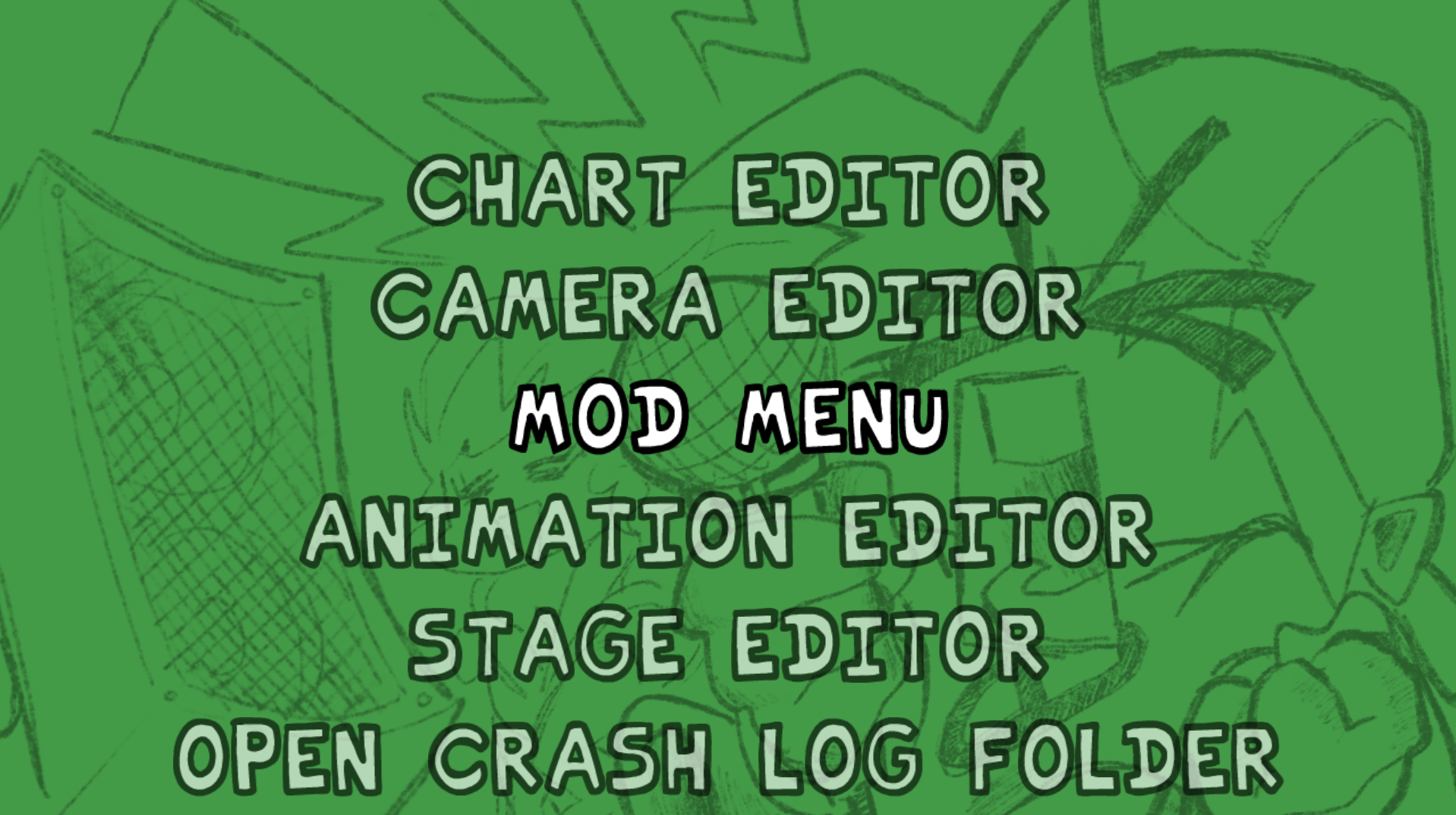
Try them all out, we've added some things to the Chart and Camera Editors since last time!
Here is the first test build for Windows: [WINDOWS] Mod Menu Playtest Build (v0.9 Feature Preview #3)
And for the Mac users: [MACOS] Mod Menu Playtest Build (v0.9 Feature Preview #3)
Now for Linux too: [LINUX] Mod Menu Playtest Build (v0.9 Feature Preview #3)
The FLA for easy access: Mod Menu Electric Chair Assets Packaged.fla
We invite you to download this build, try it out with all your mods, and give us your feedback! You can contribute to development by reporting bugs and leaving suggestions on our GitHub issues page.
As we continue to work on the next major update, we will polish the Mod Menu and memory system with bugfixes and final assets. Look out for future test builds on my Twitter account @Hundrec.
Now, back to Kade!
And that'll do it for the funkBlog this week, thanks for reading. Annnnddd the song of the week is: