WEEK OF 2026/11/14 - Programmer Presentation - Public Playtesting for Preview #4
22 minute read - Published on: 2026/11/14
Table of Contents
- One-Click Installation
- CPPIA scripting
- Generational GC
- Asset Handoff System
- Quick Menu, and… Debug Menu?!
- Camera Editor, Camera Schmeditor
- Chart Editor Overhaul
- Convenience and Collaboration in the Chart Editor
- Asynchronous Loading Screens
- Loading Screen Characters
- Polymod Upgrades
- How can I try this for myself?
Hey funkBlog fans,
It’s Hundrec, Production Manager for the Funkin’ Crew. I’m glad you’re here!
Today, we’re releasing our newest public playtesting build on all platforms: Feature Preview #4.
Thanks to your feedback and testing since Preview #3, we (and our Contributors on GitHub) have made a ton of fixes, changes, and additions to the Mod Menu and the game as a whole!
This new build contains so many new features and optimizations that I invited our programmers Kade, MoonDroid, EliteMasterEric, and AbnormalPoof to give you a rundown of some of their latest work.
Enjoy the tour!
One-Click Installation
Suppose you could install a mod with just one click of a button. That's been the case if you've used a mod manager for, well, any game ever.
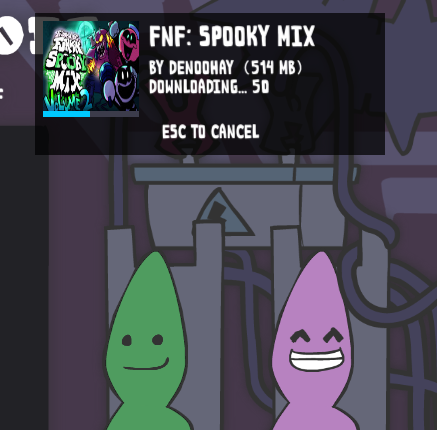
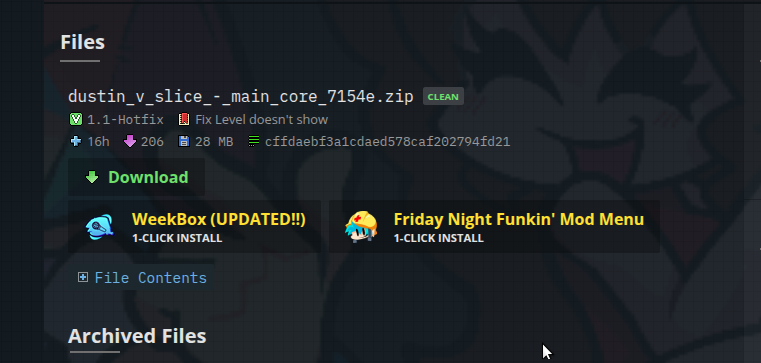
Well now it’s finally coming to Friday Night Funkin'! Now available on GameBanana, usable with our newest preview build: The One-Click Install Button.
Yep, it's me, Kade.
I have been hard at work on streamlining the process of modding for the last couple of months. With this one click installer, it should be easy to install mods on both Desktop and Mobile. With just one click, you can launch the game and install a mod (or install it directly if it’s already open). Now you can get your mods fast and hot with auto-downloading for dependencies specified by the mod itself.
CPPIA scripting
by Kade
Not only that, but we also have fabled CPPIA script support! This scripting backend gives high-performance gains with some shiny new crash handling to make mods more stable and easier to debug. On simple tasks, CPPIA is about 31x as fast as HScript. On more complex tasks, you can see quite a dramatic increase in FPS (I've gone from 70fps on HScript to around 400fps on CPPIA). With less overhead, optimizations are easier to make, and I was able to get to around 800-1000fps with per-frame operations on CPPIA (best case scenarios). This absolutely blows HScript out of the water, several times over.
Go check out the Cookbook article on compiling scripts to find out more. (advanced kids only)
This might be the last batch of new modding features I can get through before the next content update, but we'll still be working to improve the experience for modders as we go. It's always on our mind.
Generational GC
by Kade
Generational GC? What is it? It’s cool ass Garbage Collection!
Garbage collection is a process when the game cleans up unused stuff, freeing up resources so your computer runs the game awesome and fast. This should resolve the biggest problem the game has ever had: GC Stutters, where the game freezes for a bit mid-song to collect garbage. It now handles this much better by taking small snippets over time instead of doing it all at once. So, goodbye stutters!
It's an experimental system ya'see! So we're testing it here to iron out the bugs with it before it goes into the main game. Make sure to report those bugs and give us those crash logs!
Asset Handoff System
Hey, Moon, mobile lead dev here intruding into this blog hehe. Remember that purging system concept we had a while ago? After some tinkering, we found out some assets would slip in and stay inside memory. A clean purge was impossible…
Until now! I approached this differently and finally fixed that fatal flaw. To put it in a way even the average joe understands: every time you move states, unused assets are gone. Not a single one stays. “But how?! How did you do it? I must know!” Heheh.
Once a state transition begins, we prepare the cache for purging. When it ends and everything gets queried, we mark everything as unwanted, re-request assets we want to keep between states to un-mark them, then sweep the rest out of memory while handing off the remaining and newly queried assets to the next state.
So I guess it’s more of a “mark and sweep” system? And it's global across every state transition, meaning (and I promise you) assets we aren't using anymore will NEVER stay in memory. We're talking an all-time low in GC memory, even within story levels! It should almost always average around 300 MB, give or take a hundred or two hehehe.
Quick Menu, and… Debug Menu?!
by Moon
And the memory optimizations are not all! I’ve remade the Quick Menu’s code to be easily moddable. Before, the data and such was hardcoded, so adding your own button or panel ID was a hassle…
But now all you need to do is press a few magic buttons and it will work!
This allowed me to repurpose the Quick Menu to list the debug editors in the Main Menu!
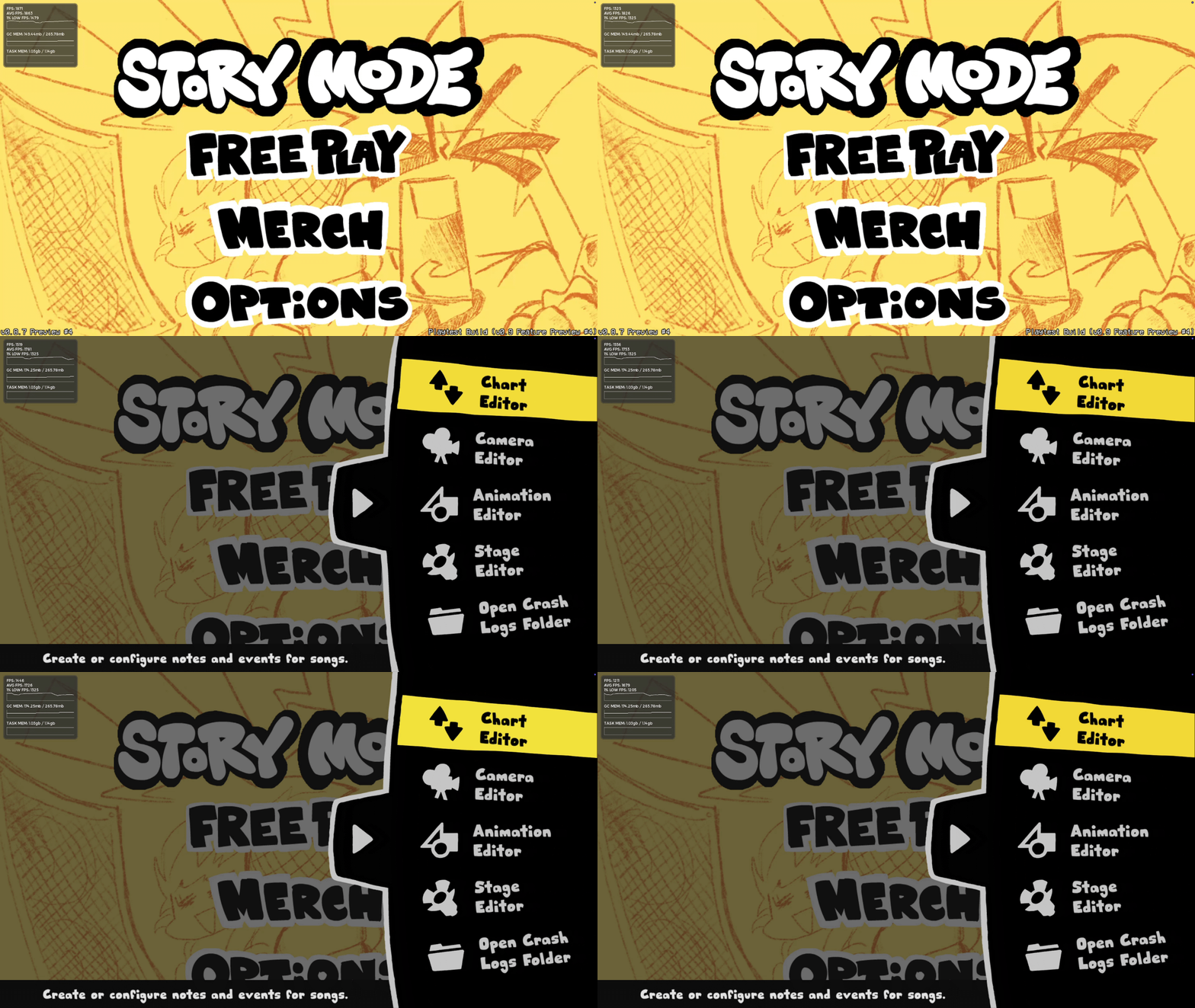
As for modding, I tried to make it as simple and as modder-friendly as possible. Not only are buttons soft-coded, but they’re also scriptable! You can have a .hxc and a .json button set to any kind of panel ID, giving you the freedom to do anything with the side panel buttons.
More icon types are also supported now! You no longer need to jump through hoops to make an animated panel icon, hehe! Here’s a showcase of that, with a little help from Keoiki’s Pointless Pins! (Grab the mod’s new update to try this for yourself)
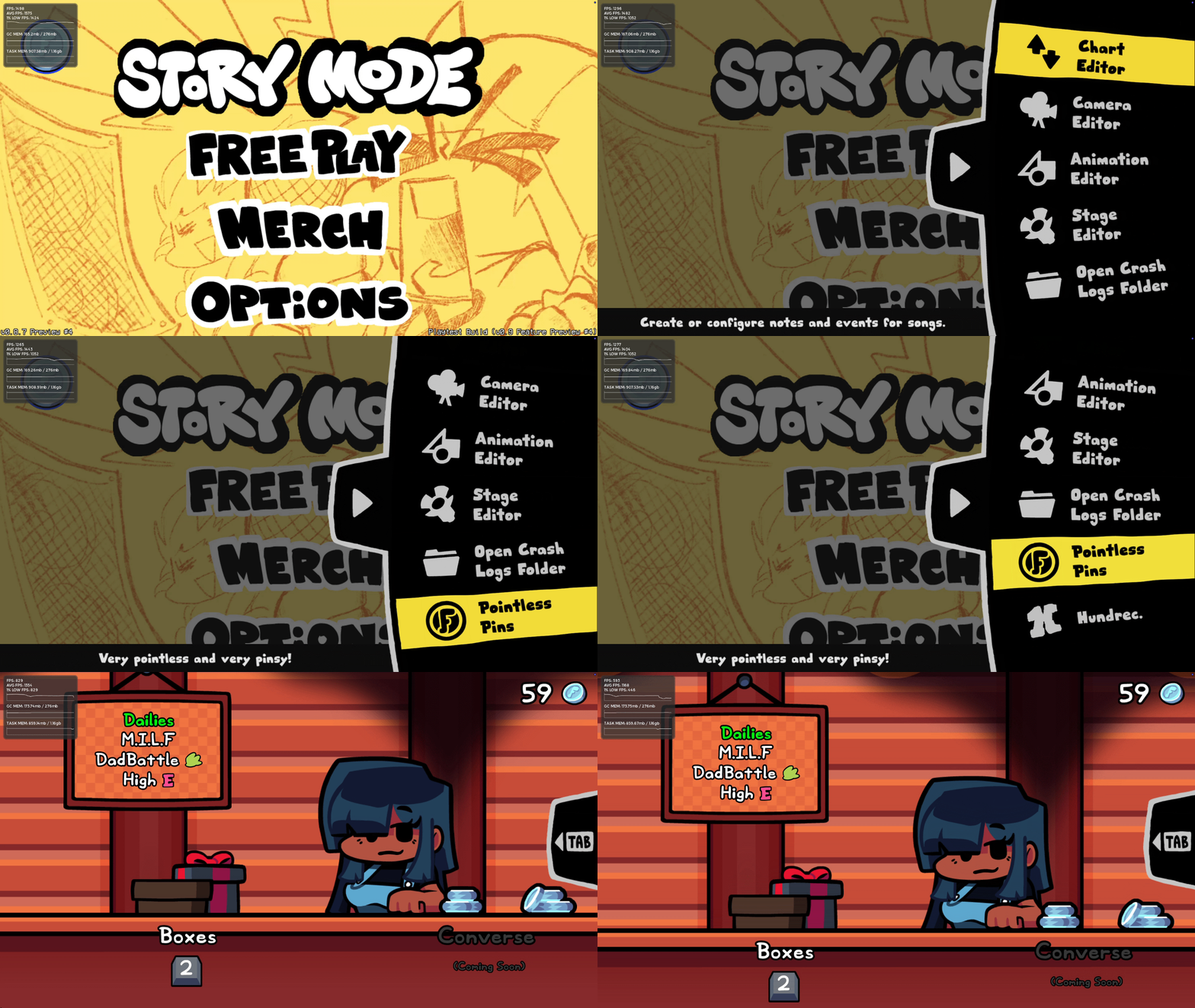
This overhaul also fixes a bunch of bugs such as the panel overriding some of the current state’s values and the menu sometimes locking inputs, etc.
Whole thing is super optimized too, as a little cherry on top teehee.
Camera Editor, Camera Schmeditor
by Kade
Oh the Camera Editor, we didn't forget about you! We have given the Camera Editor some much needed improvements, like:
Faster... Faster!
The Camera Editor is now much more optimized when navigating the timeline, applying properties, and moving events. It's still not 100% where we want it to be (as showing a LOT of events at once tends to lag), but we're getting there.
This timeline is so smooth
The timeline now allows you to scroll way better, smooth scrolling for all of your scrolling scrolls. Individual scrolling for the layers and adjustable layer height, better zoom smoothing and larger zoom values, plus more intuitive ways to move events around in the timeline.
Quick tip: Press Shift + Up/Down/Left/Right arrow keys to move selected events with your KEYBOARD!
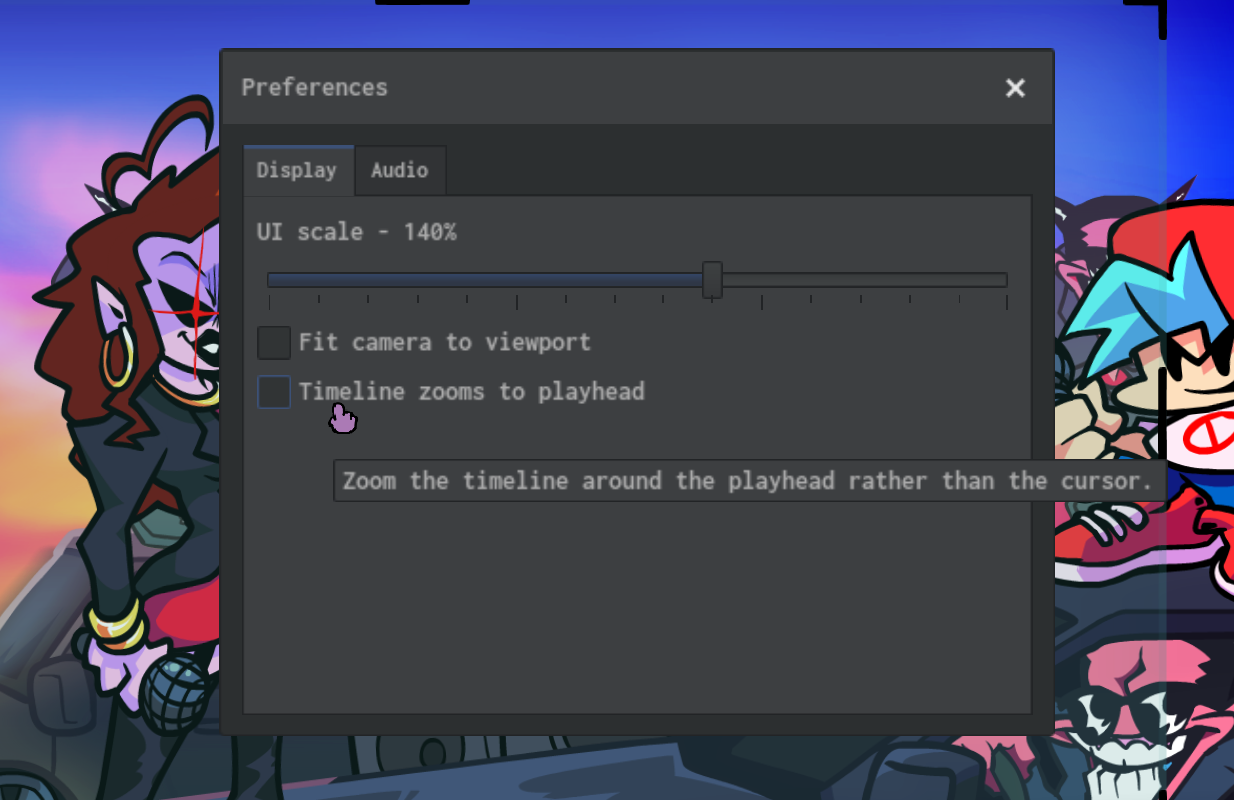
Preferences
Along with the Chart Editor, your preferences are now inside of the preferences of the preferences window inside of the file menubar. That's a lot of preferences.
C-C-Custom events?
That's right! The real purpose for this entire editor’s existence is actually in the game now! Custom Events are a way to have song events (that aren't your simple zooming or focusing) inside of the editor. You can preview them, ease them, reverse them, and beat them to smithereens if you really want to (we won't judge!)
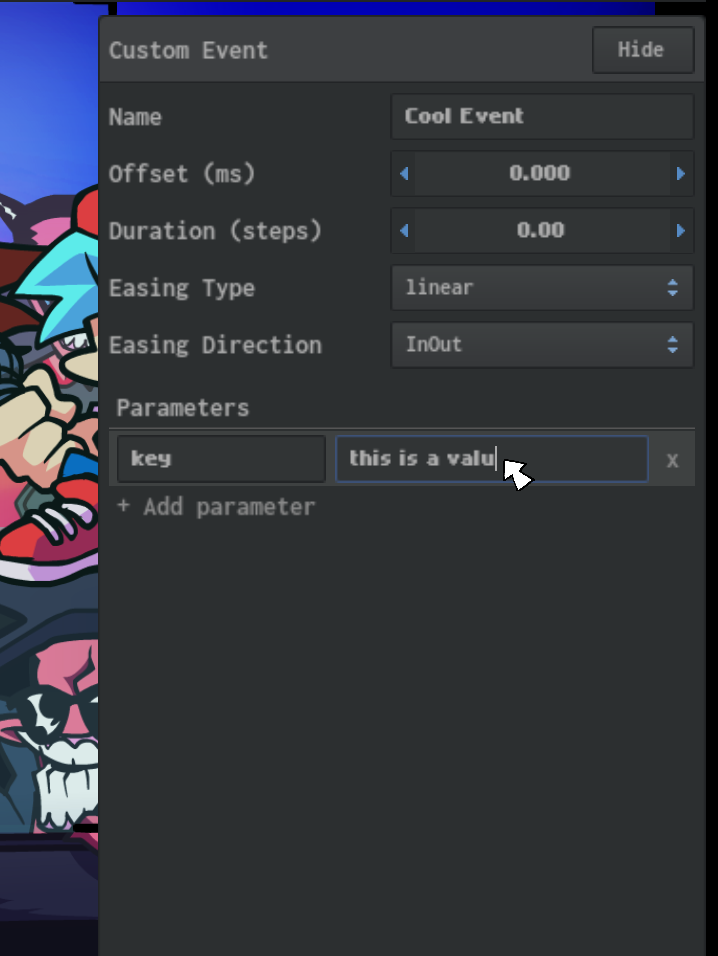
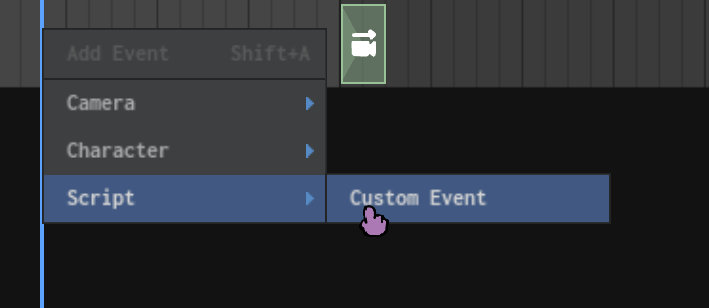
How do I go about adding these?
These events can be added in the Chart Editor OR Camera Editor, but we recommend using the Camera Editor just because you can see it happen in real time!
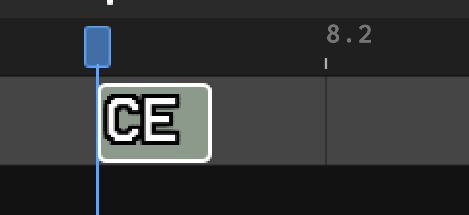
These events can be snapped, resized, and bent to your will like any other event - and they even get a cool neat icon based on the name of the event itself.
While I would love to bore you about how to script these bad boys, that's better done through the Cookbook article! Go check it out.
Chart Editor Overhaul
by Kade
While working to create a better modding experience for all, we've been looking to bring our editors up to speed. So not only have we improved the Camera Editor quite a bit, but we also upgraded the one most in need of changes: The Chart Editor.
The grid… is gone?
The grid has been with the Chart Editor for a very long time, all the way since the beginning. While we understand how much the grid means to people (for both its functionality and personality) - we have brought our editor up to par with other top-of-the-line charting programs in favor of a waveform-based workflow.
The waveform v2
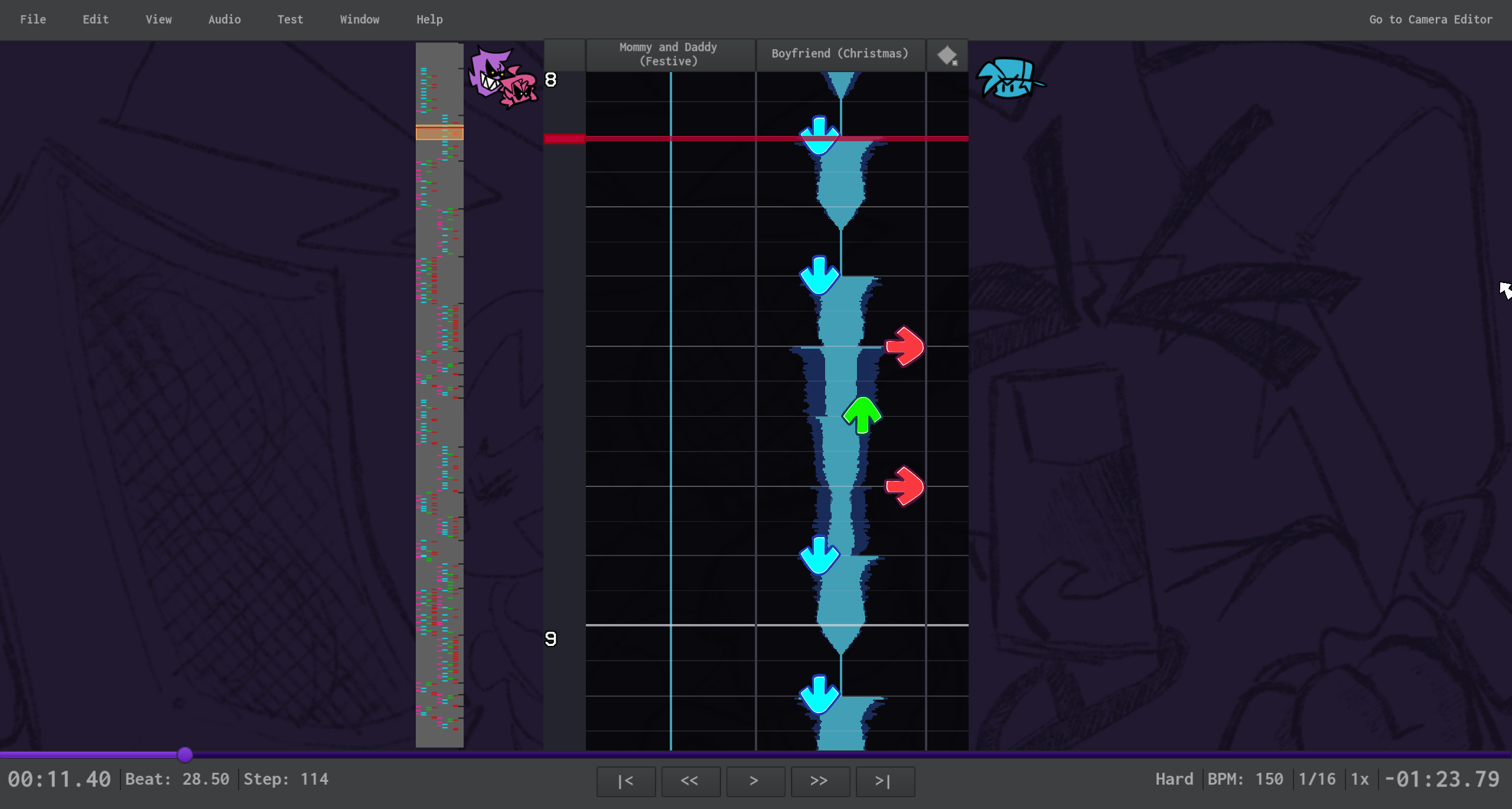
"How do you chart without the grid?"
While the grid was helpful (without a waveform) it was ultimately not the source of truth for the timing of the vocals of a song. It was limited to 1/16th snaps, not aligned to a waveform, and stretched weirdly when zoomed. Considering the drawbacks of using a grid, the waveform approach was the most logical and simplest solution we could think of.
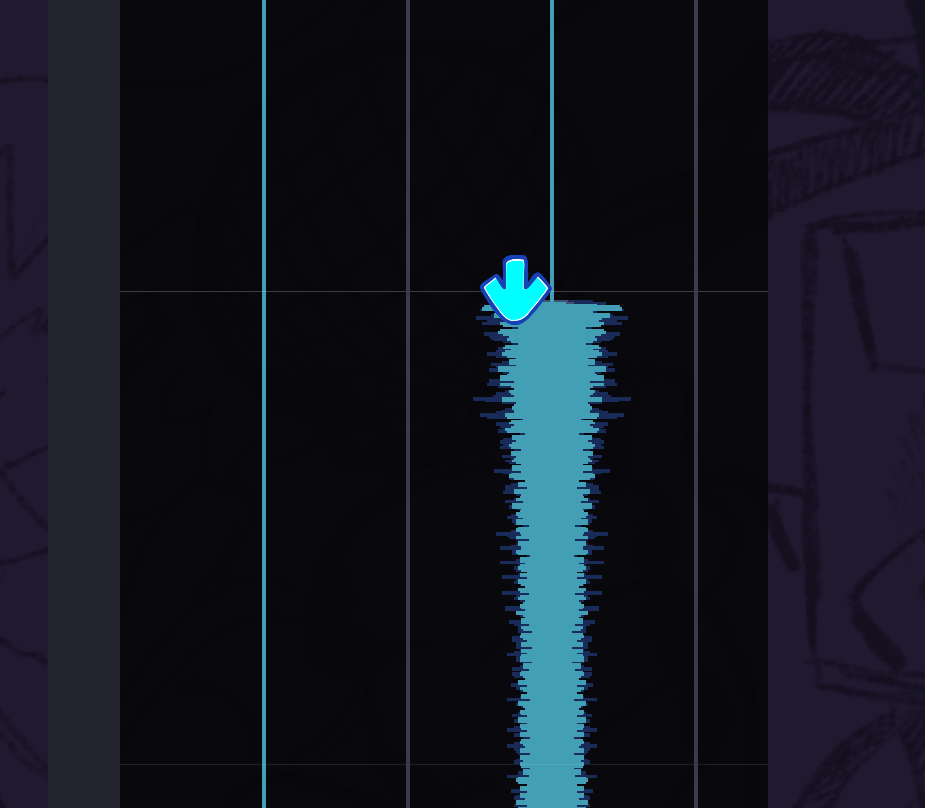
Like actual gameplay, notes in the Chart Editor are now hit in the center of the note rather than the top. Zooming in with Ctrl+Mouse Wheel, you can see that the center of the note almost lines up with the waveform. You can also see beat lines and snap lines based on your current snap value. This down note is just a tiny bit early, so pressing B allows you to move the note freely regardless of your snap. It’s never been easier to chart any song, especially those with irregular rhythms.
UI Overhaul
Most of the UI has been fully reworked, extraneous options have been moved to the new Preferences window, and toolboxes have been cleaned up.
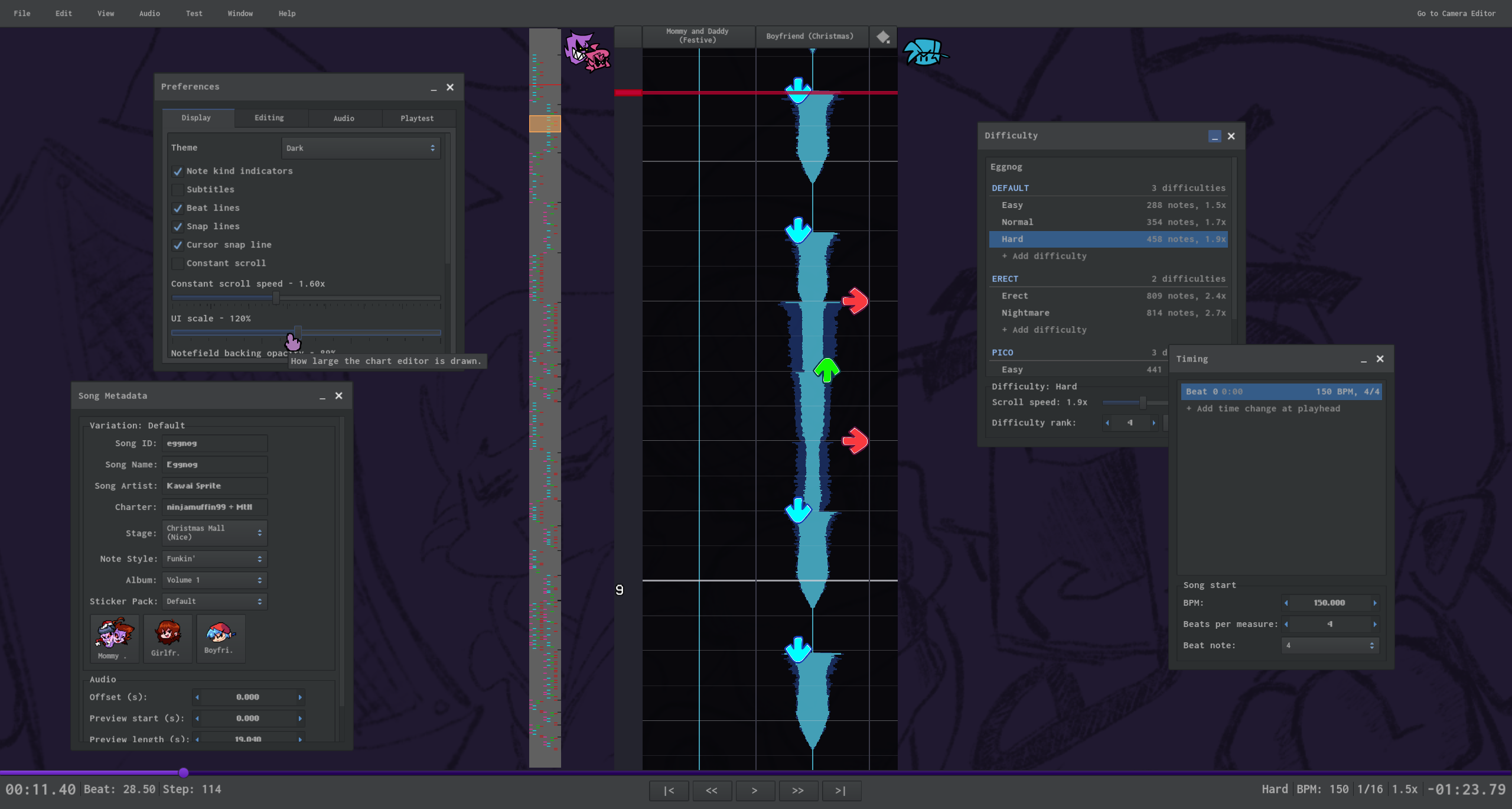
Some highlights to check out:
Time Changes and Difficulties
Time changes have been separated from the Metadata window into their own Timing window, allowing for more precise control and ordering of timing points and signature changes. Many bugs with these have also been fixed.
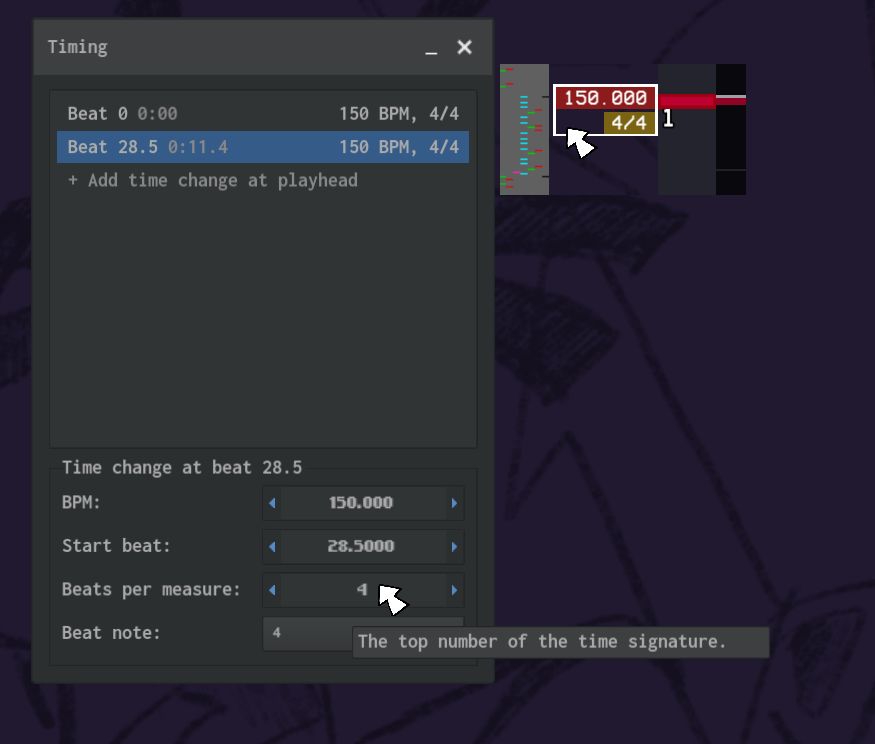
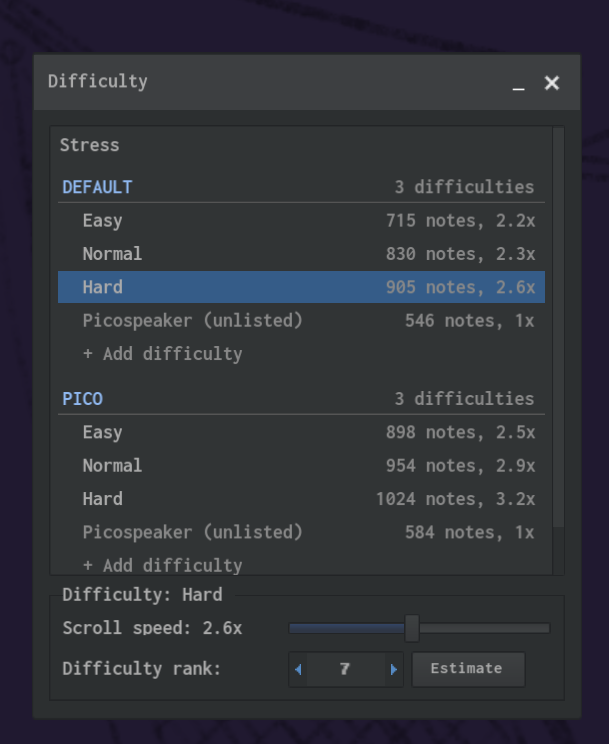
Difficulties have also gotten a major glow up, showing unlisted difficulties like Pico’s chart in Stress, a difficulty estimator, and a better way of managing variations and charts themselves. You can even right click on a variation or difficulty for more options!
Notekinds and Event Chains
Double-clicking on notes and events now opens the menu relating to that object.
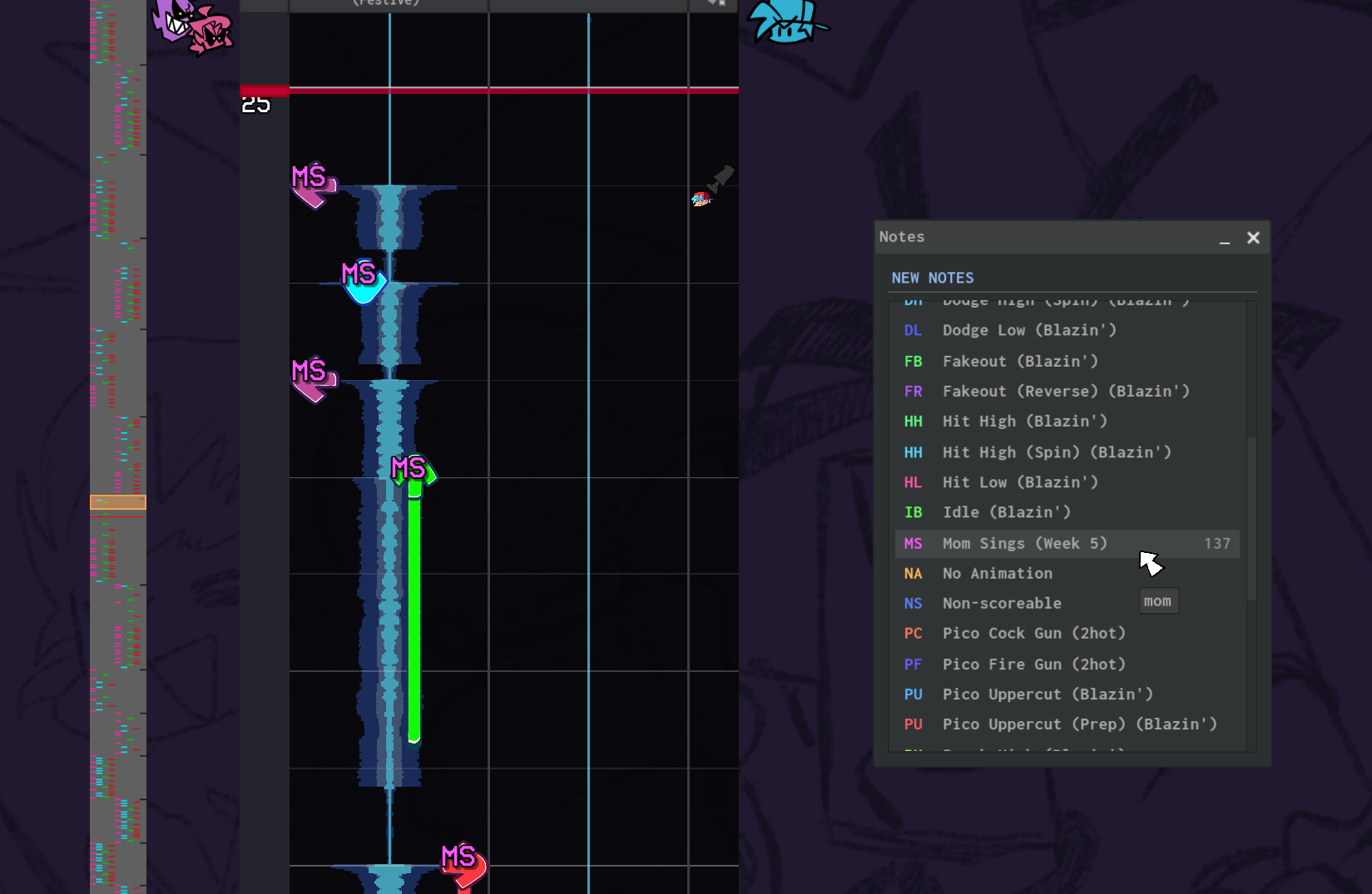
Notekinds now show a colorful list of all available notekinds, the number of each in the current chart, and even custom notekinds at the bottom of the list!
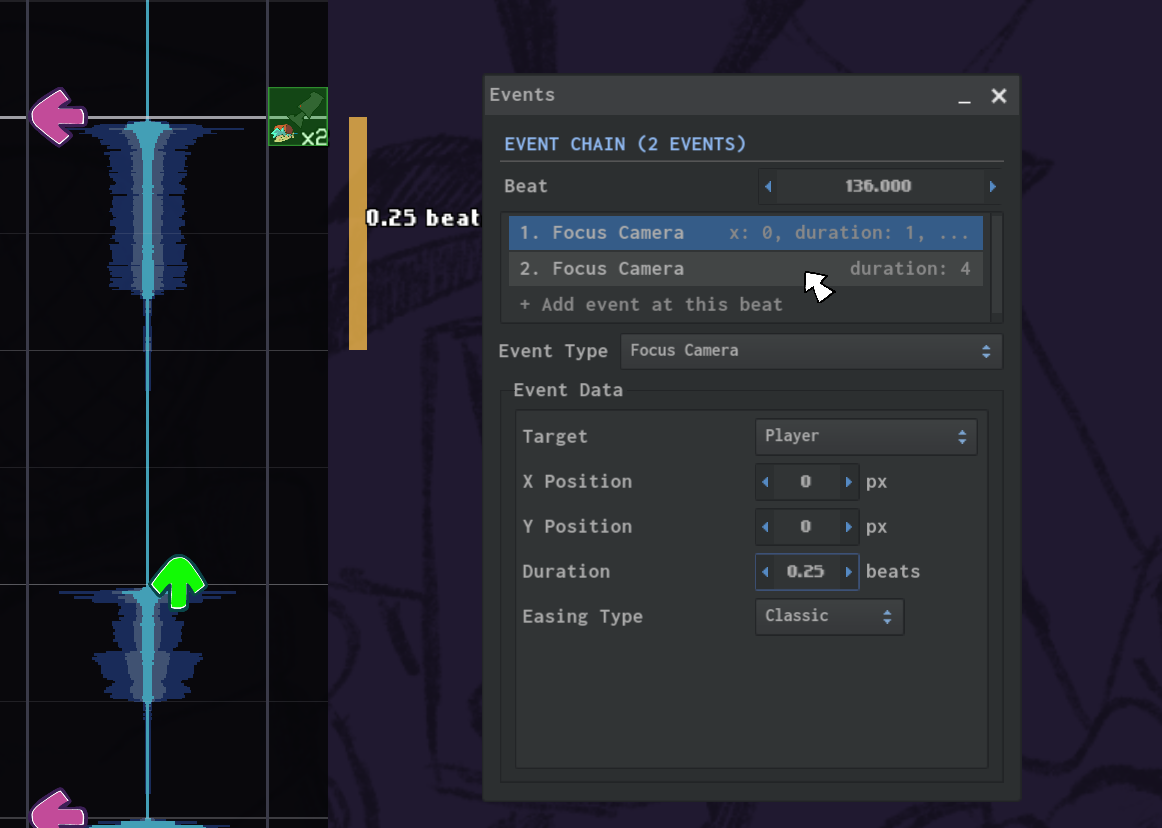
Previously, multiple events placed at the same time in the chart just took up the same square with no discernible way of selecting or editing them. While we plan to turn the Camera Editor into a more general "Event Editor," there should still be a better way to edit stacked events in the Chart Editor. Now we have Event Chains, which allow you to group events together and individually edit each event.
Preferences and Instrumental Waveform
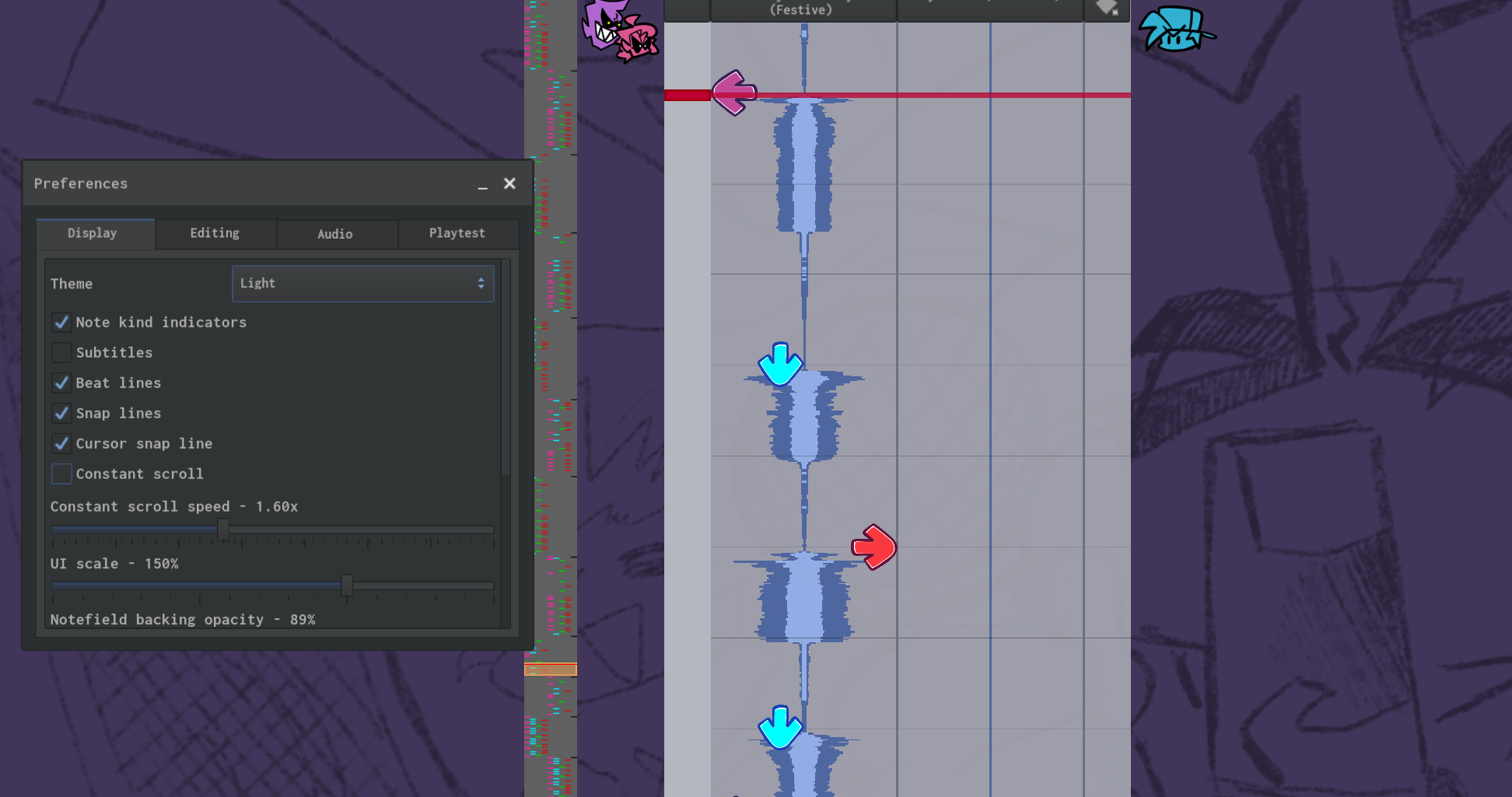
Your charting preferences are now accurately saved, and you can customize the editor more than ever before through the new Preferences window.
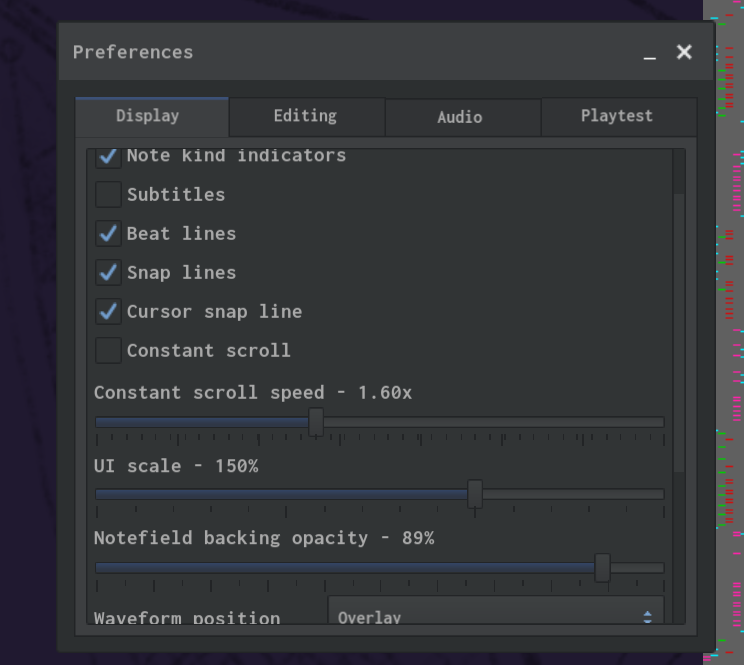
Under the Display tab, you can switch between light and dark themes…
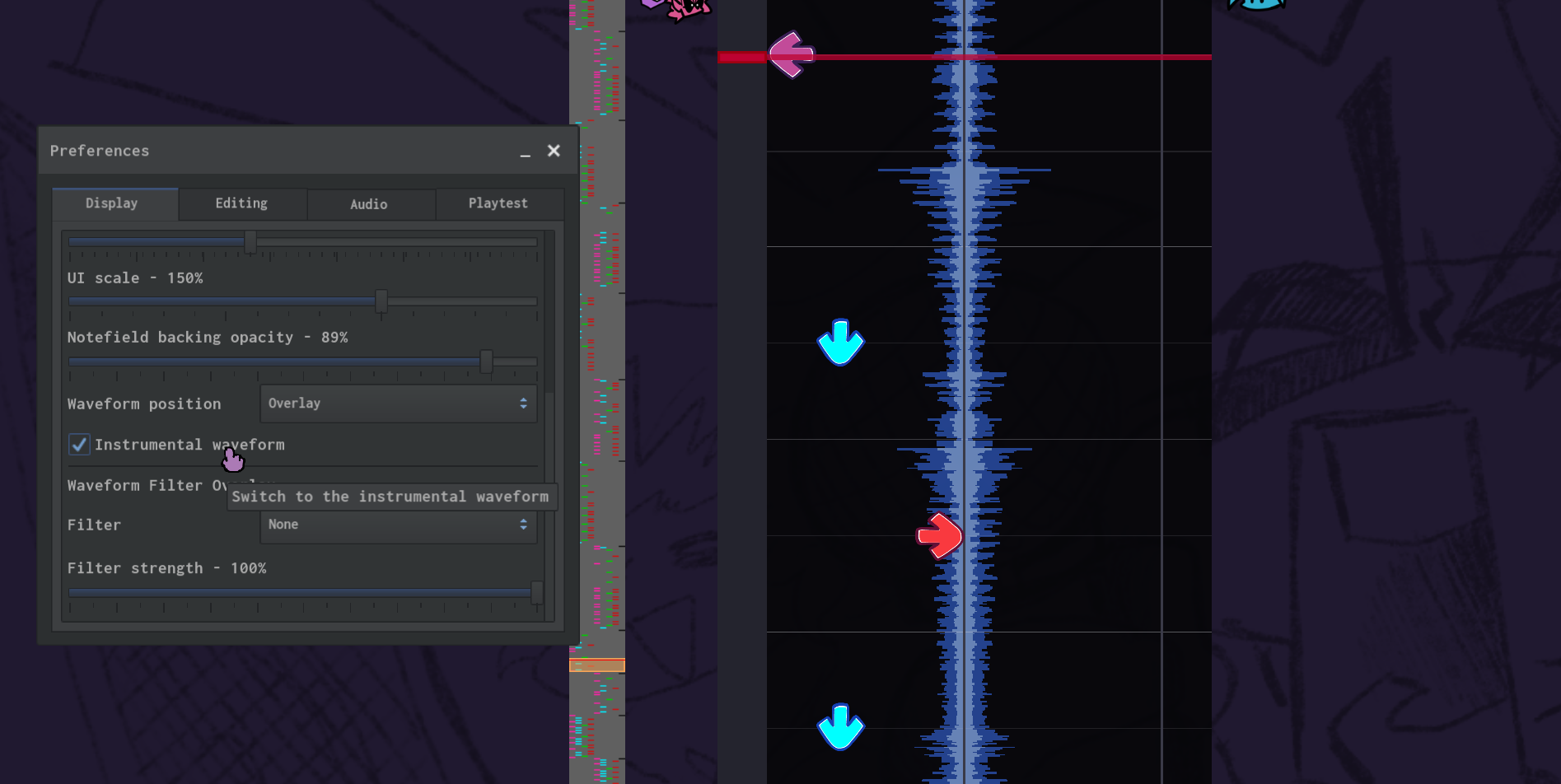
…or switch between viewing instrumental and vocal waveforms. Also, the instrumental is automatically visible when the loaded song has no vocals (like Blazin’).
And more?
There are so many more features that I can't describe them in detail, so look out in the Chart Editor for:
- UI Scale slider and better scaling for full screen
- Streamlined interfaces for setting Song Offset and Freeplay Preview
- Constant Scroll speed in editor
- Scroll Velocity event (change note speed without changing spacing)
- Render Distance event (change how far incoming notes stop rendering)
- Difficulty heatmap (show what the new difficulty calculator thinks is hard in a song, in real-time!)
- General improvements to workflow (with even more to come!)
We are looking to improve the Chart Editor further, so please let us know any issues or suggestions you have! We look forward to hearing what you have to say.
Convenience and Collaboration in the Chart Editor
Hey, it's Eric, developer of the Chart Editor. As the charting team started working on more charts for the update internally, I wanted to take some time to add some features I've been meaning to add to the Chart Editor to improve the team's productivity when collaborating on charts.
These features actually got into Feature Preview #3, but I never wrote about them so not a lot of people know about them.
Command Palette
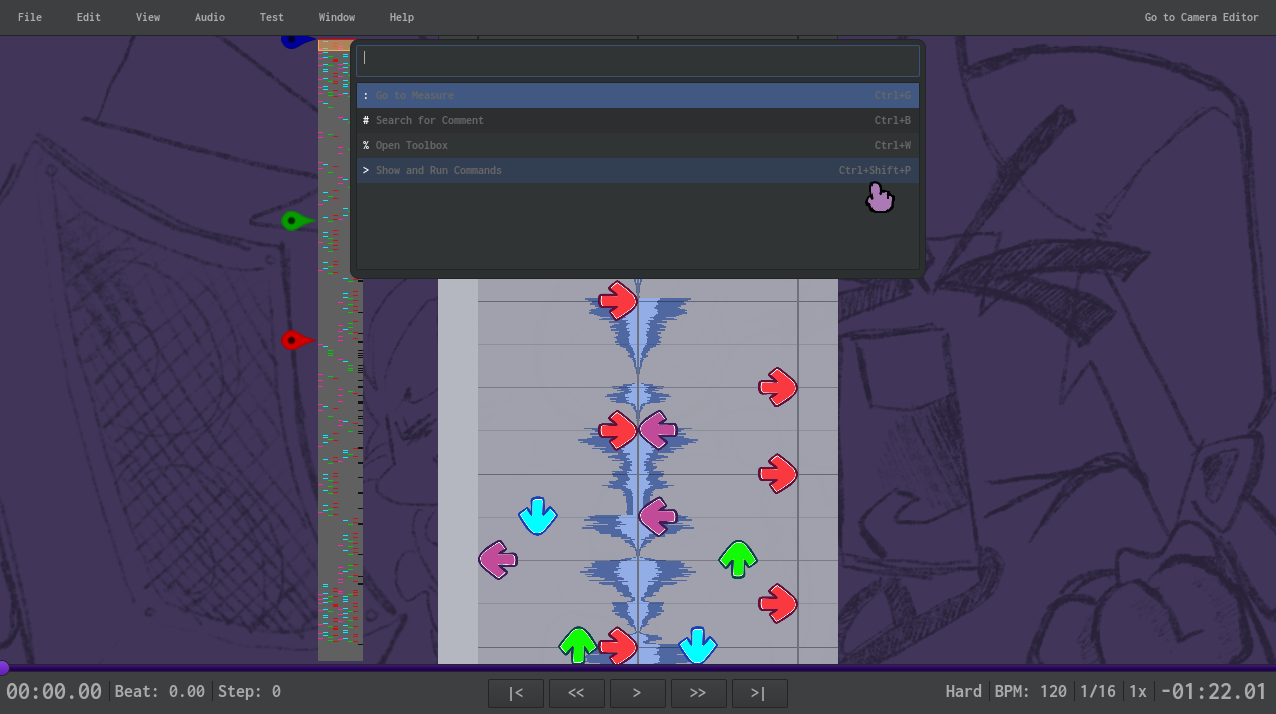
The first feature to discuss is the Command Palette. This feature is blatantly stolen from inspired by Visual Studio Code. From here, you have access to all functionality within the Chart Editor from a convenient, keyboard-navigable interface without needing to memorize keyboard shortcuts.
Press Ctrl+P to see all the modes you can use.
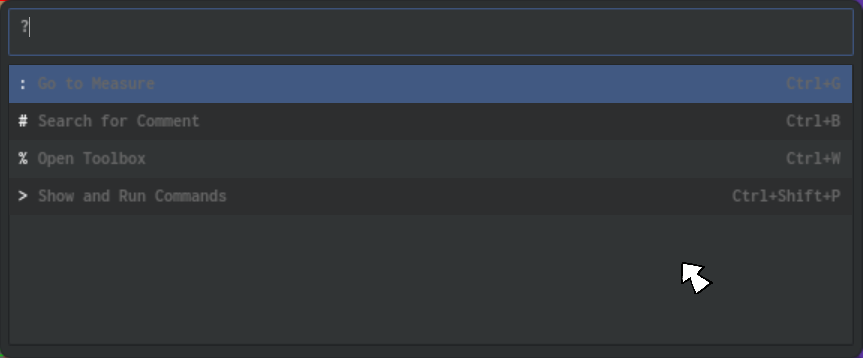
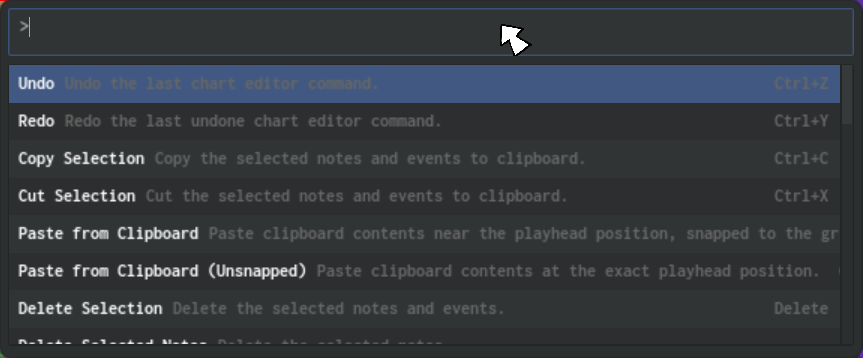
Typing > into the field (or pressing Ctrl+Shift+P) lets you scroll a list of all the commands in the editor, and typing further lets you filter them by name. You can also easily reference their keyboard shortcuts here, and you can click (or navigate with the arrows and press ENTER) to perform the command.
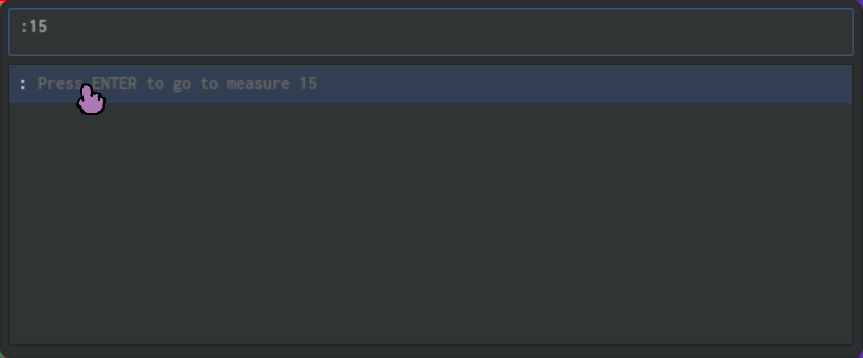
Type : into the field (or press Ctrl+G), then specify a number and press ENTER to jump to a specific section of the current chart.
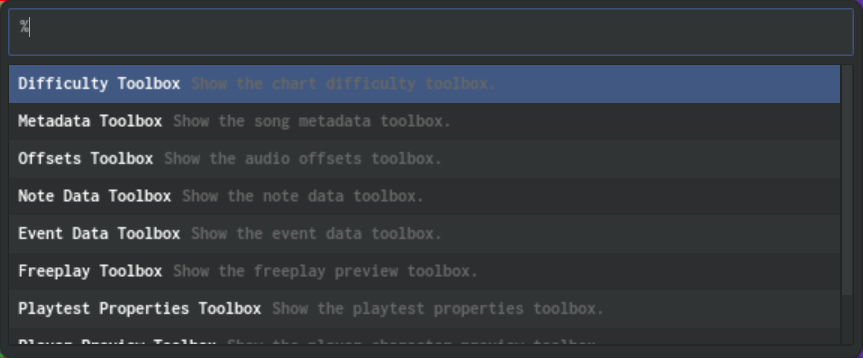
Type % into the field (or press Ctrl+W), then navigate and press ENTER to open a specific Toolbox without having to use the mouse to open the menu.
There's one more mode for the Command Palette that we'll cover later.
Comments
The other new major feature is focused on tracking progress and feedback, both for remembering your place and for collaborating with others: Comments.
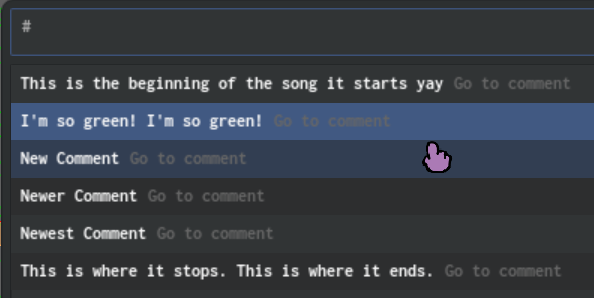
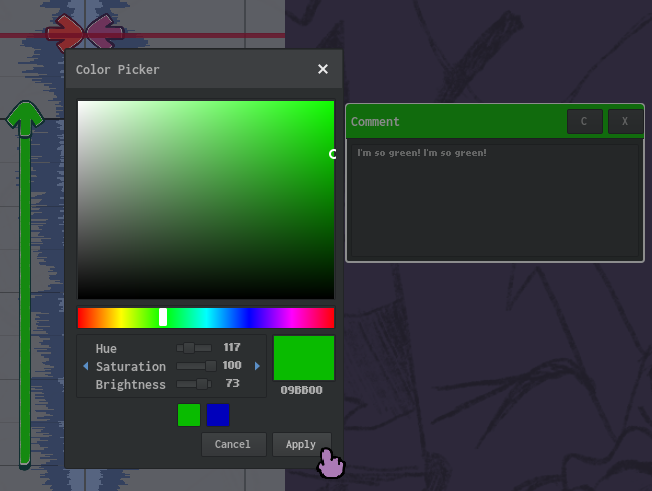
Press Alt + B to place a comment at the playhead position. There is a multi-line text field you can fill with any feedback you want to leave, as a reminder for yourself or feedback for a collaborator. You can see the text for the comment nearest to the playhead position.
There are several control buttons on the comment, allowing you to change a comment's color or delete it. Colors are great for indicating a specific type of feedback, or the author of the feedback.
Comments get included along with your chart data when you save.
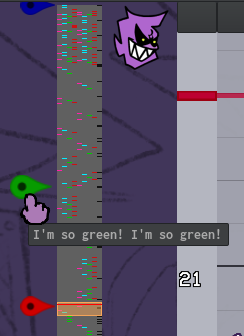
You can see pins along the note preview for all the comments in the chart, and click them to immediately jump to that position. Pins display in the color you configured for the comment.
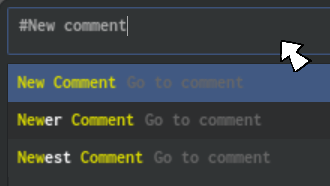
Finally, you can press Ctrl+B to open a new command palette mode. In this mode, you can browse a list of comments in the chart, and type to filter by comment text.
I hope these new features greatly improve the process of creating and refining charts.
Asynchronous Loading Screens
by Eric
One of the optimizations that I've wanted to make for years now is proper loading screens.
As recently as the SPAGHETTI update, the game would just completely stop between a level being selected and actually entering it. It also used to be very naive about which assets to hold onto in memory when doing so.
The solution to this is the new asynchronous loading system.
Before major state transitions, players will now see a loading screen where the game does the following things:
- Gather up which assets are needed for the proceeding state
- Queue each asset to load in the background (in parallel with the main game)
- Display a progress bar on screen so the player knows the game is stable, active, and performing work, rather than not responding.
This requires the loading screen to know about what textures, sounds, XML files, JSON files, etc. are going to be needed by the next state. For menus, this includes the graphics and fonts for the menu, the sound effects that play when selecting buttons, and more. For gameplay, this includes character assets, stage assets, song assets, note style assets, etc.
Because computer logic can be complicated, the gameplay state and each major menu has a queryAssets() function that lists out all the assets it needs, so that the loading screen can efficiently load them all before they're needed. Any assets that weren't listed get dumped and reloaded from the next loading screen if they're needed. This effectively solves one of the game's most notorious issues: escalating memory usage during prolonged sessions across many songs.
This system also effectively reduces the frequency of the game freezing when a necessary asset was not yet loaded. However, it requires that any scripted objects that use additional assets define a queryAssets() function that returns an array of AssetPaths it will use. The average character or stage won't need this (the JSON data will get scanned by default) but any character or stage that uses extra files (like the Week 3 stage's sound effects, or Nene's A-Bot sprites) will want to declare these. If they don't, the game will stutter since it's forced to stop everything it's doing to load the asset. Some platforms will even crash. Don't worry, there are debug tools to help devs figure out what assets get used without being declared.
Loading Screen Characters
Hi there, it’s me, Abnormal… you know, the person who wrote a blog last year!
Every video game has loading screens, even some simple games. Some go by really fast, and some take an ETERNITY (cough cough a certain game from 2006). Friday Night Funkin’, however, never really had a proper one!
There WAS the loading screen on the HTML5 version of the game, which looked like this:
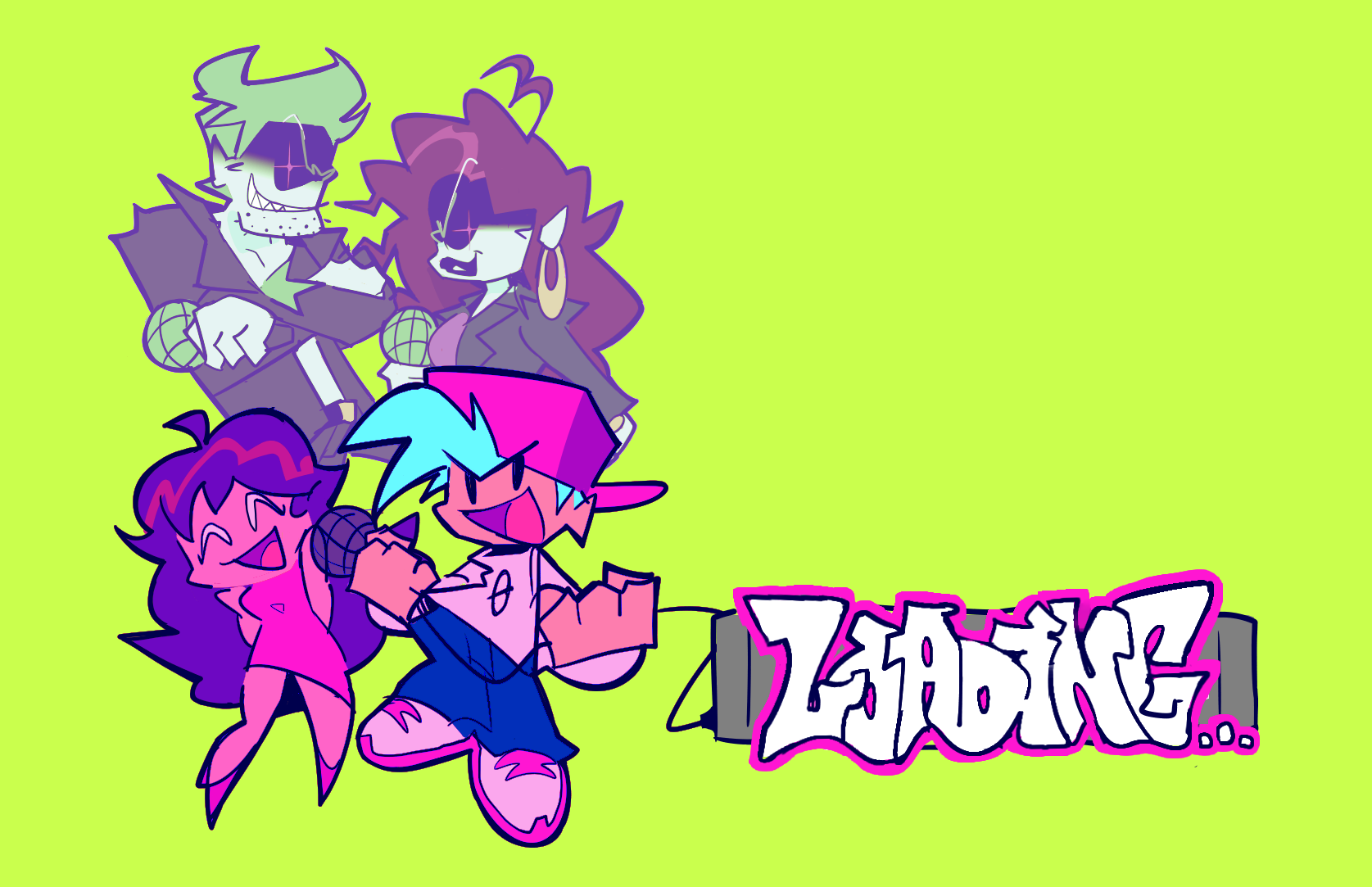
However, this never made it into the desktop version due to the way its assets were loaded on there. This art wouldn’t fit in very well if it was added today…
So, we got back to the drawing board and concocted a simple, yet stylish loading screen!
BEHOLD!
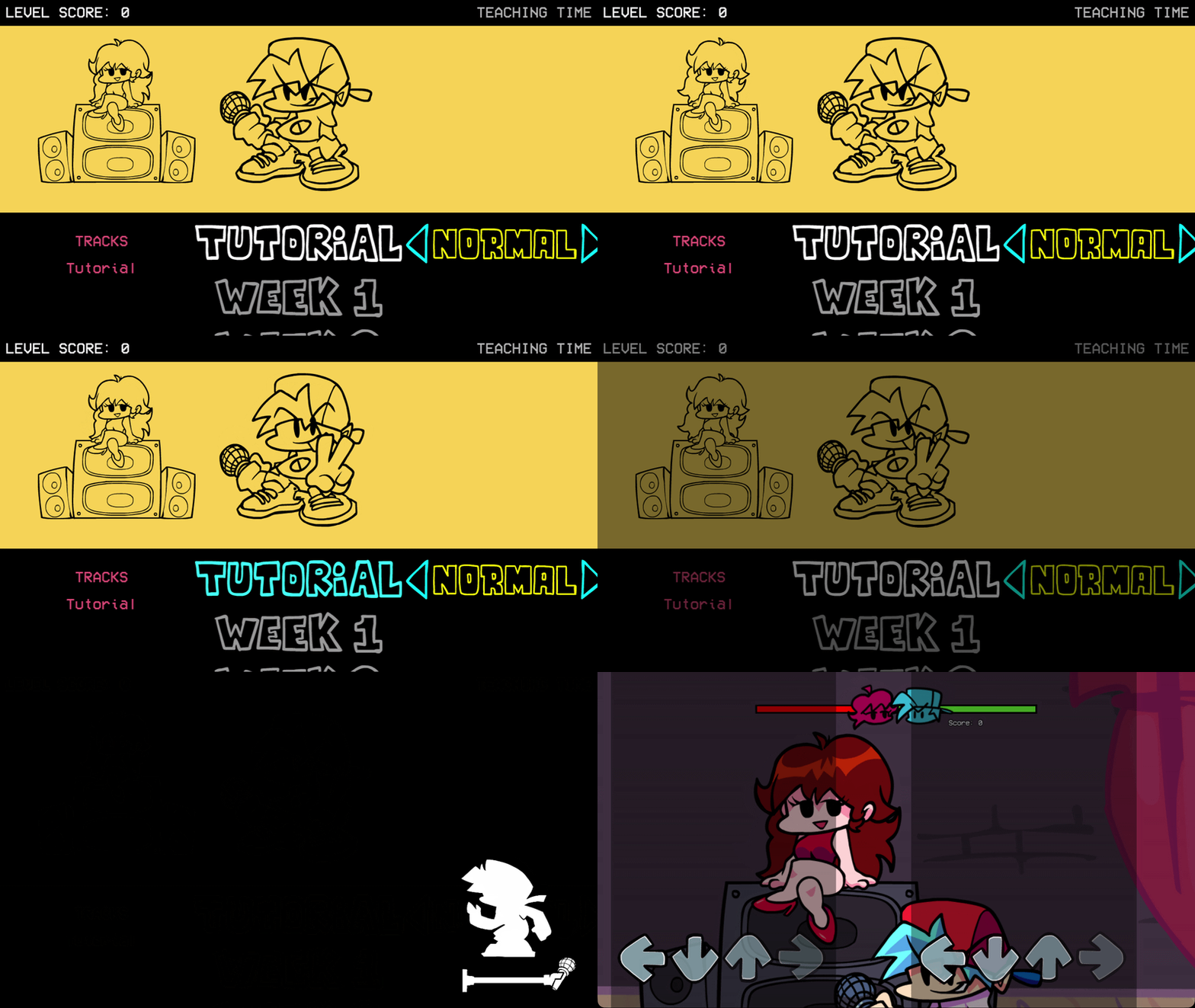

Pretty cool, right? Let’s break it down.

At the bottom right, you have a running character with a microphone stand that fills up as a progress bar.
The running character is picked at random from a pool of available characters based on its weight value. The higher the weight, the higher the chance that character is loaded.
Boyfriend and Girlfriend both have an equal weight of 400, so there’s a 50/50 chance you’ll see one or the other on each loading screen.
Once the game picks a character… there they are!

This system is set up in a very data-driven way, so you (yes, YOU) can mod in a running character very easily! Just follow the structure in ui/loading/characters and you’ll be good to go.
Currently, it only supports sparrow assets, but this is subject to change! Eventually, you’ll be able to have packer and (if you’re psychotic enough to use it for a 24-frame animation) animate atlas sprites, it’s only a matter of time.
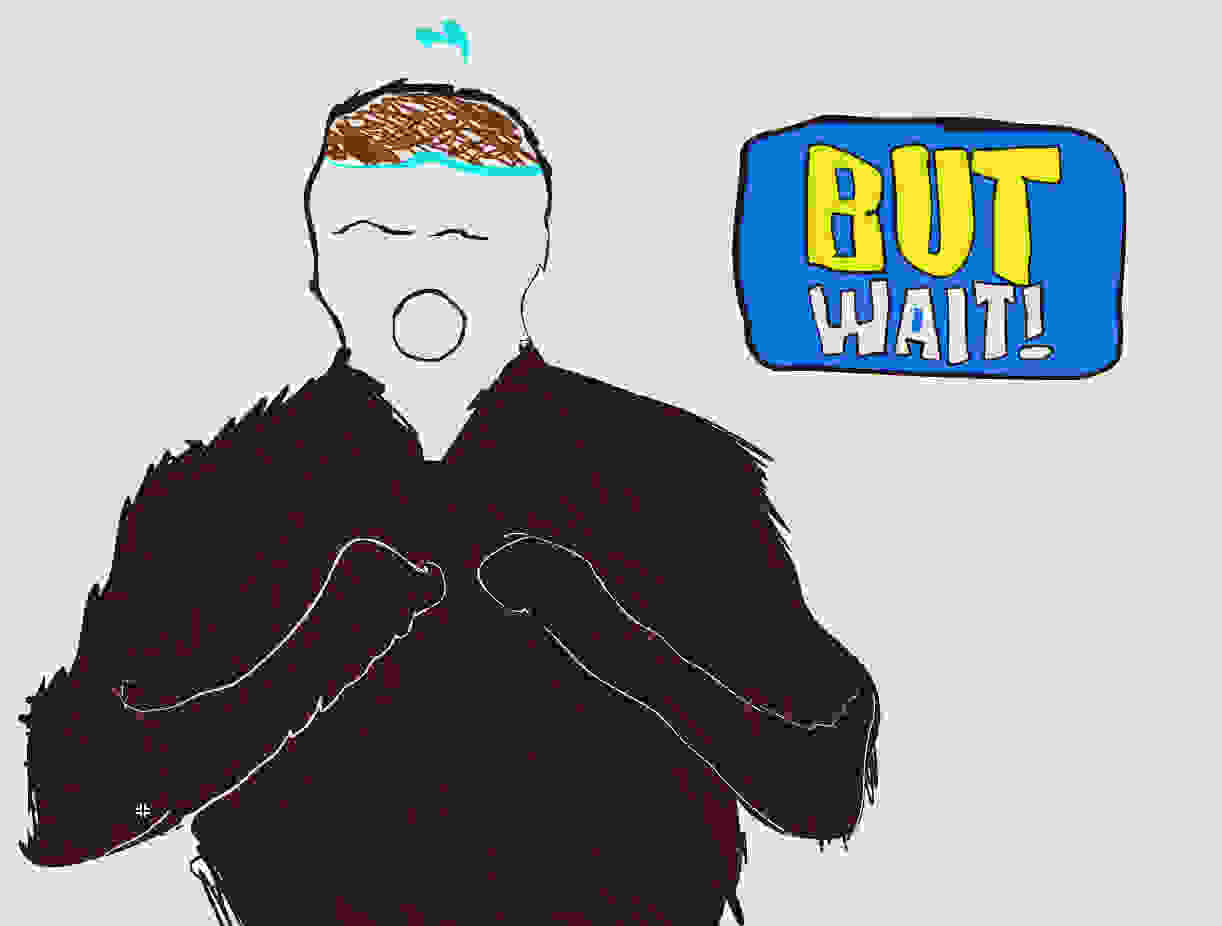
BUT I’M NOT DONE YET!!
Polymod Upgrades
by Abnormal
We’ve been making strides at improving the game’s modding system. It’s called Polymod, you might’ve heard of it.
Polymod has improved a lot ever since the release of Weekend 1 back in 2024, and that’s in large part thanks to our lovely contributors over on GitHub. They have submitted lots of significant improvements and additions to the library!
As Polymod received more and more fixes, its scripting system has gotten closer and closer to the actual Haxe language.
And, ladies and gentlemen… I think we’ve reached the endgame.
BEHOLD!!!
EXTEND ANYTHING AND EVERYTHING!
Previously, you could only extend a small set of classes. This was done through a macro that only ran on certain “wrapper classes”. The team needed to manually create these “wrapper classes”, so making new classes extendable was a bit tedious.
But now, thanks to our contributor KoloInDaCrib… we don’t need to do that anymore! Basically every single class is extendable with the mindblowing technology of running a NEW and shiny macro on every class!
Please use this new power responsibly. I cannot be held responsible for anything that will definitely emerge with this newfound ability.
As we continue improving Polymod, some things will inevitably be broken along the way. It’s important to maintain good code quality, because scripts often break due to accidentally utilizing bugs that were previously present in the scripting system.
Did you know that a new compiler define was recently added to help with code quality? You should try compiling the game with POLYMOD_STRICT_SYNTAX sometime; it enforces stricter checking in scripts to ensure that they’re much closer to real Haxe, which should help make your scripts more resilient each time we update Polymod.
Maintaining a modding system is tough; but as time goes on, we aim to break fewer mods with each update!

And as we always say… umm…
I actually forgot.
… well, scratch that for now.
Don’t worry Abnormal, I remember!
How can I try this for myself?
Hey, it’s Hundrec again to drop the test builds.
These features will only be officially released with the next major update, but you can try all of them right now in our newest test build, for both Desktop and Mobile platforms!
Keep in mind, you can access the Editors on Desktop platforms by pressing the tilde key (~), and the Mod Menu on all platforms by going to the Options Menu.
[WINDOWS] Mod Menu Playtest Build (v0.9 Feature Preview #4) - Google Drive | Dropbox
[MACOS] Mod Menu Playtest Build (v0.9 Feature Preview #4) - Google Drive | Dropbox
[LINUX] Mod Menu Playtest Build (v0.9 Feature Preview #4) - Google Drive | Dropbox
[iOS] Preview #4 on TestFlight - TestFlight link
[ANDROID] Preview #4 on Google Play - Sign Up on Google Play Store Page
CPPIA SDK (for modders; all platforms) - Google Drive | Dropbox
We invite you to download this build, try it out with all your mods, and give us your feedback! You can contribute to development by reporting bugs and leaving suggestions on our GitHub issues page.
As we continue to work on the next major update (coming December 30th!), we will improve the game based on your valuable feedback.
Now here’s a song to listen to while you download the new build, courtesy of Phantom Arcade!
Have fun!
Hundrec and the team 💯